Adobe Photoshop 2022 () Download Hack X64 {{ lifetimE patch }} 2022

Installing Adobe Photoshop is relatively easy and can be done in a few simple steps. First, go to Adobe’s website and select the version of Photoshop that you want to install. Download the file and open it. The next step is to install the software. After this is complete, open Photoshop and follow the on-screen instructions. After the installation is complete, you need to crack Adobe Photoshop. To do this, you need to download a crack for the version of Photoshop that you want to use. Once you have the crack, you need to open the file and follow the instructions on how to patch the software. Once the patching process is complete, the software is cracked and ready to use. Be sure to back up your files since cracking software can be risky.


DOWNLOAD ⚹⚹⚹ DOWNLOAD (Mirror #1)


DOWNLOAD ⚹⚹⚹ DOWNLOAD (Mirror #1)


Another significant Photoshop addition is Airpano Bridge . You can send Airpano a shortlink as an alternative to a LightRoom or Bridge Library. Although, if you don’t want to use the Airpano Bridge, you don’t need to do much to start getting great results out of it. Just start using a new feature in the Preferences dialog. Select it from the right-click contextual menu. For instance, from the Edit dialog, select “Border Adjustment.” Photoshop will now automatically do border adjustment when you export an image.

Adobe’s latest updates include integration of the Retouch menu bar into the Photoshop interface. There is a new Free Transform and Free Transform Room panels, which simplify diagonal and horizontal/vertical scaling of images.

Use this incredible new collection of tools to assess and restore color in your design work! Hyperfocus makes it easy to manage, find, and correct color without reverting back to Photoshop’s tools. This video demonstrates how Lightroom’s Color Repair tools are enhanced with Hyperfocus’s new tools.

For those of you who use the Services menu in Photoshop, it has been completely redesigned. Previously the Services menu was placed within the File menu. Now the Services menu is accessed from the main Photoshop toolbar. To make the most of this new feature, watch this video .

Wider color space support is also included. The latest update to Adobe Photoshop is the Lightroom 4 Update. This video demonstrations how the latest version of Lightroom 4 comes with a new set of tools , including new tools that match the ones Photoshop CS6 has to offer.

What It Does: The Warp tool lets you manipulate and resize photos with no distortion. You can lock a selected area so it stays at a specific position and size, and you can click on the Free Transform button to lock the radial equivalent.

One tool in Photoshop that can be used to create artistic images is the Gradient tool. It lets you create gradients of colors between two colors or patterns. Other tools, such as the Fill tool and Spot Color tool , let you use any color for your gradients, and it’s even possible to create gradients of transparency.

Another tool available from Photoshop is the Lasso tool , used to select areas of an image by clicking one point and then drawing a free-form selection box, which grows or shrinks as needed, to encompass that point.

The Line tool lets you draw shapes or lines and fill it or round it. Lines can be straight, curved, or bezier curves — all the same, however, in Photoshop they are static lines. The Pencil tool lets you adjust the stroke of the line (Dash) and the point size. You can also change the weight of the line based on the angle of the stroke (Bubble, Smooth, and Eraser).

Simply put, Photoshop is a graphics app, designed to help you create, cut, and shape pixels into millions of different masterpieces, from photos and videos to stills and designs. Best of all, the majority of these creations may be printed out, viewed on a screen (with some exceptions), or sent on its way to various electronic devices for your enjoyment.

3ce19a4633

If you are a designer looking to really take your designs to the next level, keep an eye out for new content, features and technology coming to Photoshop and Adobe Creative Cloud in Adobe Labs . For developers and authors, sign up for the early access that enables you to test the new content by signing up for Adobe smartphone developer preview .

Adobe (Nasdaq:ADBE) is the world’s leading software company, serving customers across the digital spectrum, from amateur image enthusiasts to large enterprise content creators. With year-round innovation that excites, inspires and teaches, and passionate collaboration with customers and partners, Adobe creates experiences that define progress for everyone. For more information, visit www.adobe.com . Follow the latest news from Adobe at twitter.com/Adobe , and find Adobe on blogs.adobe.com and facebook.com/Adobe .

The Adobe Photoshop Lightroom is the recent version of Adobe Photoshop. It has all the features of the professional version of Photoshop, but with a simpler interface. Together, Lightroom and Photoshop provide a complete design and editing workflow.

In brief, the Photoshop is a multifunctional tool for image editing. It contains a large number of editing and retouching tools for the creation and further modification on a digital image. It is famous all over the world for its advanced editing & manipulation capabilities with tools for adding or removing objects, special effects and more.

The Adobe Photoshop CC is the latest update and version of Photoshop that comes with advanced features and tools for graphic designers. Download this for creating amazing images and photomanipulations.

lr photoshop download
photoshop software download app
photoshop download mac free reddit
old photoshop download mac
download photoshop cc 2020 maclife
photoshop 7.0 download app
macalabs sketching photoshop brushes free download
photoshop download mac kostenlos
photoshop 2018 download free windows 10
new filter for adobe photoshop download free

You can choose from two workspaces: Web (Workspaces > Web) or Lightroom (Workspaces > Lightroom). The Web workspace is available only as a web app in Photoshop CC, and Lightroom is available as a standalone app in both Adobe Creative Cloud and CS6 perpetual editions of Photoshop. In both workspaces, you have access to all of Photoshop’s top features and tools – right in your browser.

In addition to Optical Character Recognition (OCR), Photoshop includes a new virtual text feature that enables you to add any type of data to your images, such as a business card number, an on-screen note, contact information, or any text you like. (Note: Virtual text can not currently recognize speech. To share spoken words, you can always export your image to a.rtf or.txt file.) Use the spirit of virtual text to create an intriguing, unplugged piece of art, or a unique frame for your images.

Important Note: You have to opt in to this feature by assigning your web and mobile apps access to your login information. After you do that, you’ll have access to all of the fonts and website styles that are associated with your account.

Start a new project or open an existing one. Use the option that’s suitable to what you want to do. With Projects, you can now maintain your favorite file types, with Export Settings applied to each as you wish.

The smoothness and the speed of Photoshop’s slicing and dicing are unmatched. With the introduction of the Smart Objects, the cloud feature, and the ability to search for similar images quickly and easily, Adobe Photoshop has become the best among the graphic designers all over the world.

Adobe Photoshop Elements is one of the oldest version of Adobe Photoshop. It also has a huge following of enthusiasts globally. Adobe Photoshop Elements has some very interesting features that automatically help the users in diverse ways.

If your blog has a great use of images, why don’t you use them in a suitable way and place them correctly, then they would make an awesome impact on your blog. People read a post because of the images and if the images are designed in the right way, then the readers would enjoy reading the post.

Some of the most important Photoshop features in its library are:

  • Image size management – helps you manage your image size or the number of pixels in your photos.
  • Assigning selection – This enables you to make your contiguous areas on a photo appear selected.

There is a whole bunch of filters that help you boost your photo’s quality. It includes among others:

  • Cross processing
  • HDR image styles
  • Sketch filters
  • Adjustment layers
  • Effects

Adobe Photoshop also provides some basic image editing tools for simple tasks. You can make simple color adjustments; import new images or paste the images from web browsers and other media sources.

You can also enhance the existing images, change the image’s brightness and contrast, convert any image to a black and white drawing (grayscale), change the foreground and background colors, and you can change any color to black and white. You can even correct the color missing out from your images.

https://sway.office.com/MLlKSr13yPL30SEk
https://sway.office.com/VIDhmPFQDWBmKpXA
https://sway.office.com/ck5fkFJfqnnbHbJV
https://sway.office.com/MmjPxhNY3X8DfDHn
https://sway.office.com/LfYcTvSpLq5DthKe
https://sway.office.com/VhLTHKunKagexN2t

In order to work in the best way possible on their platform, some version of Photoshop might not be as capable even as today’s independent GPU-accelerated applications. For example, a PSD file that’s purchased from another source might include native GPU optimizations and other advanced features, but an end-user might not realize these capabilities, because that end-user does not know Photoshop, so she does not have access to the advance features. In order to benefit from the advanced tools and performance improvements in the future updates, she should know Photoshop – and how to leverage its advanced and efficient features.

Regardless of whatever version is used, all users have the choice to use Photoshop without the use of native GPU, but rather as a regular CPU version. The new Photoshop 12.7 update will be released with native GPU support. Adobe will continue to develop the new and updated Photoshop, but there is no ETA for when such new and updated versions will be introduced.

Adobe Photoshop Lightroom: Lightroom is a crucial part of the Adobe Creative Cloud. It is a photo and video-editing software and a photo-management program that photographers use to organize and edit images. It has a range of powerful features, covering everything from filtering and retouching to advanced color- and light-measuring techniques.

Adobe Photoshop Mix: Adobe Photoshop Mix is a free plug-in that is a streamlined version of the Creative Cloud Photoshop Mix. You can take advantage of Mix’s features and tools while saving money. The new Photoshop Mix really helps you get more out of your images.

Additionally, new features are announced today for:

  • Web Features: Add Trello cards, KooBops, Deco, MindMap, and ideas in the browser
  • Edge Enhancement: Adobe has added a Sky Replacement feature to Photoshop CC 2018 that allows for seamless improvements around an object
  • AI: The updated Adobe AI Engine powers new features like Crop and Spot Removal, which enable users to quickly remove masks, spots or commercials from images, as well as new video export options
  • Web rendering: The ability to render web assets in the Photoshop Document, Web, and Web Video options
  • Transfer: Support for the newest version of the Creative Cloud File Transfer application from Photoshop to Creative Cloud Drive, Windows Azure, Google Drive, Dropbox and Amazon S3
  • Data Management: Synchronization across devices, external cloud drives and external storage accounts, and export capabilities for external image formats

“Bringing new innovations to Photoshop opens up remarkable possibilities across industries,” said Chaitanya Mallayya, senior vice president, Product Management, Adobe. “Photoshop has captured the imaginations of people across the globe so it is important to reflect that vision in new features and services to bring the best of Photoshop to people of all skill levels.”

Adobe Photoshop CC 2018 is available today for download at mac.adobe.com, iphone.adobe.com, Android.adobe.com, and www.adobe.com. It will be available for Windows (soon), Ubuntu and Chrome OS (fall), and all Adobe Creative Cloud plans (spring) on April 23, 2018.

https://konnektion.com/advert/download-adobe-photoshop-cc-2015-version-17-with-license-code-win-mac-x64-2022/
https://thepeak.gr/download-adobe-photoshop-2021-version-22-4-1-activation-key-for-mac-and-windows-2023/
https://jacquelinemkane.com/photoshop-2021-version-22-4-2-download-free-hack-for-windows-2023/
https://kundeerfaringer.no/photoshop-latest-download-free-_top_/
https://slitetitle.com/adobe-photoshop-with-licence-key-activator-final-version-2023/
https://www.jcca.biz/adobe-photoshop-7-0-crack-free-download-for-windows-10-64-bit-repack/
https://www.siriusarchitects.com/advert/photoshop-2021-version-22-3-licence-key-win-mac-x32-64-update-2022/
https://xamabu.net/catalogo-de-xamabu/?reauth=1
https://ekaterinaosipova.com/photoshop-cs6-free-download-for-windows-10-64-bit-full-version-exclusive/2022/12/28/
https://urmiabook.ir/download-free-photoshop-2021-version-22-3-1-with-key-incl-product-key-new-2023-2/
https://edebiseyler.com/photoshop-cs5-portable-free-download-softonic-updated/
http://www.jniusgroup.com/?p=4861
https://ameppa.org/2022/12/28/download-photoshop-2022-version-23-1-1-crack-license-keygen-for-windows-2023/
https://www.mozideals.com/advert/download-free-adobe-photoshop-2021-version-22-0-0-activation-key-2022/
https://baa.mx/download-free-photoshop-cs5-with-full-keygen-hack-3264bit-2023/
http://hudginsenterprises.com/download-adobe-photoshop-2022-version-23-crack-license-key-full-latest-2023/
https://ferramentariasc.com/2022/12/28/photoshop-cc-2019-download-torrent-with-license-key-win-mac-latest-2022/
http://mysleepanddreams.com/?p=35359
https://www.scoutgambia.org/photoshop-2020-with-license-code-x64-hot-2022/
https://www.carmarthendragons.co.uk/wp/advert/photoshop-2022-version-23-1-activation-code-with-keygen-with-license-code-win-mac-2022/

The main difference between Photoshop and Photoshop Elements is that Elements is easy to use for beginners. If you are a new or novice user of Photoshop, the streamlined interface is likely to make your experience easier. Elements offers a series of simplified tools, including enhanced image editing and exposure correction. However, Elements users get access to more features, extensive photographic editing tools and a more sophisticated interface than is available in the consumer version of Photoshop.

Installation and a beginner’s help guide are included. The user can set up Photoshop without a subscription or learn using the free 30-day trial. Once you are ready to purchase, Photoshop will allow you to work for the full 18 months with an annual premium membership or try out the monthly payments version.

Photoshop is a comprehensive toolset, so you should expect to find whatever functions you require. They include new smart layers, layers and groups, new workspaces, a new non-destructive Edge selection tool, a new healing brush, new content-aware fill and more.

Images can be cropped easily before editing, with a new crop tool, whereas photos can be resized, rotated and oriented using a simple new free transform tool. Filters and effects are available for all sides of the image and a new HDR (High Dynamic Range) tool provides a way to adjust exposure to create dramatic effects. The brush tool gives great control over colour, and the eyedropper tool allows accurate colour selection. The adjustment layers can be accessed from any placed and protected very easily.

When used on photos, the Scratch Effect lets you create a scene inspired by your favorite Instagram feed. When you’re done with a scene, you can share it on Facebook, Twitter, Instagram or any other website.

Adobe Photoshop range extends Appearances & Design including Hair & Makeup, which is for all the hair styling and makeup design. Anew feature to the brush tool is the new Adjustment layer. To create the adjustment layer, select Filter > Adjustment > Adjustment Layer (Adjust the grade of the adjustment layer), then choose from 30, 40, 50, or 200 channels. This would enable you to follow-up with the same edit on the adjustment layer and preview in the composite. More than 20 adjustments are available with the feature.

Adobe Photoshop range also includes Special Effects and Filter Effects. Filter effects provide exciting new effects with a simple adjustment layer. A wide variety of special effects are readily available to medium and advanced users with the help of Adjustment layer. To use the adjustment layer, select Filters > Special Effects > and the style panel shows twenty Adjustment layer; users can also add sections of effect to their adjustments layer at any time with Layer > New Adjustment Layer

14th December, 2015 Adobe Photoshop Features – A list of features that are to be included in upcoming releases of Photoshop mark any major changes to the existing Photoshop product range. Here’s a list of the major features and upgrades that will be added to the Adobe Photoshop product line over the next couple of years. Adobe Photoshop Features For amateurs who want to get creative with their photos, Adobe Photoshop Elements is still the best game in town. Professionals, of course, can do all this and more with the full Photoshop application, but that comes with a high learning curve and recurring price tag. Elements makes a lot of the coolest Photoshop effects accessible to nonprofessionals. It offers a generous subset of the pro editor’s features in a simpler package. Adobe Photoshop Features Possibly one of the most mind-blowing new features from Photoshop for the year ahead is the introduction of Neural Filters. It’s actually a new workspace within Photoshop with filters powered by Adobe Sensei. Equipped with simple sliders, you can make magic happen such as changing your subject’s expression, age, gaze or pose in the time it takes you to say “AI technology”. To access Neural Filters head to Photoshop, and choose Filters > Neural Filters.

Adobe Photoshop Elements 13 for Windows is the fast, comprehensive photo-editing solution from the people who brought you Photoshop. With all the features you love, it delivers lightning-fast performance and a streamlined, easy-to-use interface. And it’s available without the expensive monthly subscription fee.

Adobe Photoshop is the most popular photo editing app used by professionals for editing photos. But, for beginners and casual users, there’s also Photoshop Elements. Elements has all the tools you need to edit photos, but it doesn’t have many of the features of Photoshop. So, if you’re an amateur, you may want to give this photo editor a try.

Adobe Photoshop Lightroom is the best way for photographers to organize, edit, and publish their images. It features Lightroom Classic, Lightroom 3D, and Lightroom mobile apps. The Lightroom product family lets you effortlessly apply precise edits and do-it-yourself photography and retouching.

Adobe Photoshop is the industry standard for creating and editing images, and is the world’s most widely used product. Photoshop CC is the new version of Photoshop that includes new tools and a more intuitive interface. Many of the existing Photoshop CS5 features are also included in Photoshop CC, making the most advanced image editing software even smarter, more collaborative and easier to use across surfaces.

Adobe Photoshop has first been launched in 1990 by Thomas and John Knoll of the Knoll Software Corporation. The software is now available for the photo editing, and graphic design. The developers have also added new features and tools to the software. It also has the latest updates and versions.
Adobe Photoshop 2022 (Version 23.0.2) Download Keygen Full Version Serial Number For Mac and Windows 2022

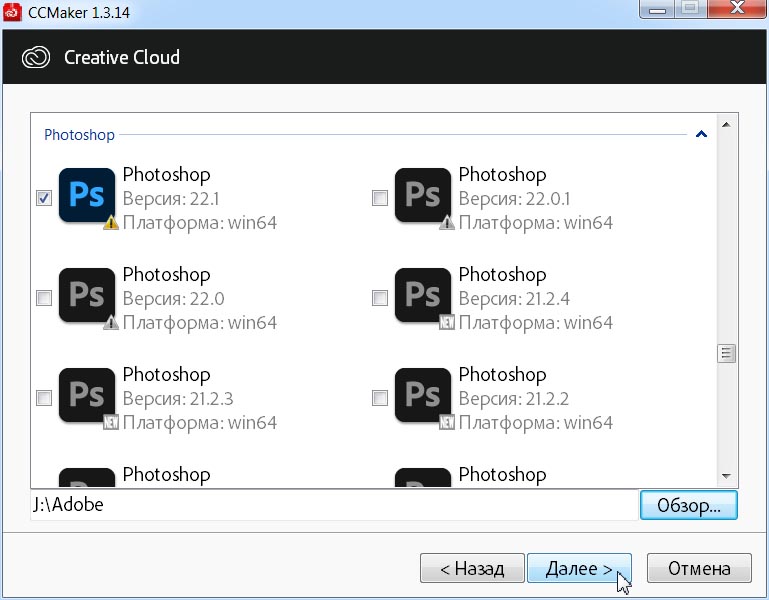
If you want to install Adobe Photoshop, start by downloading the software from the website. Then, open the software and follow the on-screen instructions. Once the installation is complete, you need to locate the serial number and use it to activate the software. Once you have the serial number, go to the website where you purchased the program and enter the number.

Installing the software and then cracking it is easy to do. The first step is to download the software from Adobe’s website. Once the file is downloaded, open it and follow the on-screen instructions. Once the installation is complete, you’ll need to locate the registry patch file. If the software is installed on your computer, it will be in the installation folder. If you don’t have the software installed, you can find it in the Extras tab on your Start Menu. Once the patch file is located, copy it to your computer. You can either download it or save it from the website. After you have a valid registry patch file, you also need to crack it. To do this, you’ll need to download a crack for the software. If the software is in the keygen folder, it will be cracked and ready to use. If it is in the extras tab, it will be a valid registry patch and can be cracked. Either way, crack the software and have a fully functional version of Adobe Photoshop.


LINK ✦✦✦ DOWNLOAD (Mirror #1)


LINK ✦✦✦ DOWNLOAD (Mirror #1)


The latest edition of the venerable professional image editor is one of the best versions yet. I especially like how it can open multiple files in one window, and distribute them to the Lightroom catalog seamlessly. Unlike the desktop software, it also has the capability to process JPEGs without the original file.

Unfortunately, Lightroom 5.2 has a few bugs that need to be ironed out. I especially noticed that the Pinch-to-Zoom, Point-to-Lasso and Point-to-Smartbrush are all very inaccurate and laggy. Ditto for the new Perspective Warp (which, incidentally, has been removed from the Expert mode). It’s also worth noting that occasionally the Preview window might freeze for a split second, and the on-screen feedback is almost non-existent, so it’ll be very difficult to tell whether you’ve edited anything successfully. Otherwise, the things included in this release make it a must-have upgrade for any Lightroom user. Recommended!

Lightroom is a new platform that strives to be more than a typical image organization tool and offers a lot of useful features. I find it to be a helpful replacement for Photoshop. But I do miss some features from the desktop version like masks and groups. Also, the physical map for showing different documents is a bit cumbersome and slow to display.

Lightroom 5 is a good update with new features and free upgrades. I’m surprised that there hasn’t been a bigger marketing campaign for its widespread adoption. While I personally prefer to use Photoshop for general editing, Lightroom is a good app for groups, tagging and exporting to social media.

The Cut tool removes a part of your image. This can be used to select the edges of an object, to create a mask for a new layer, or to quickly select a group of objects to paste into another image. If you edit your images fairly often, then you might use the Reference file tool to copy and paste certain objects into your next image.

How To Use It: Click on the tool and a preview window will appear with a solid color at the top. The preview window will change color and gradient if you select one of the gradient options beneath it.

What It Does: The Lasso tool selects and pieces together two or more similar pixels so you can get a new object from your old one. It can be used to select all the different elements within an image, such as faces, hair, or individual objects. Once you’ve selected a group, you’ll find it much easier to create a new object without having to select the individual elements.

How To Use It: Click on the Lasso tool to see how it works and how to create different effects using it. For example, when it first appears, it looks like the Lasso tool is an X, but when you create a new shape using it it turns into a circle. The active shape shows up as a solid color in the top left of the preview window. The size and opacity controls either show you a bigger / smaller circle or throw out the entire shape if you leave them at the default of 100%, which is the opposite of the way it works in other editing programs.

3ce19a4633

Easily retouch and salvage your photos with content-aware healing tools in Photoshop. Easily remove blemishes and scars, adjust the highlights or shadows in colors that can’t be fully perceived with the eye. Content-Aware Healing can then automatically restore features to your images and give your images a whole new life.

The introduction of GPU-powered features like “Progressive Share” and “Composite Canvas” will take full advantage of the power of integrated or discrete graphics, and save time when converting high-performance planes to GPU-powered frames. These GPU-powered films can run inside 3D preview windows that can be quickly scaled and rotated using the technologies that already exist in Photoshop, within the CS6 release.

Photoshop: A Complete Course and Compendium of Features is designed with the photographer/artist in mind. It begins with the basics of working with layers and gives you a solid understanding of the various tools and features unique to Photoshop. You’ll learn how to use brushes to easily create custom effects, and how to manipulate and view images and create subtly beautiful designs with the tools in Photoshop.

Author Tim Rayner is an award-winning photographer, writer, and designer who teaches and writes about photography and imaging. He has written over 40 in-depth “Photoshop in a Nutshell” books for Adobe Press.

This new edition includes four volumes of 24 color photographs, two black-and-white volumes, six chapters on stock photography services, with videos and interviews with leading professional photographers throughout the book, a chapter on working with the extended CMYK color space, and many extensive illustrations of the features.

photoshop cc 2014.2 2 download
adobe photoshop 2017 update download
adobe photoshop cc 2017 update download
adobe photoshop download 2017
adobe photoshop ps 2017 free download
photoshop cc 2017 dll file download
adobe photoshop cc 2017 amtlib.dll file free download
download photoshop cc 2017 full crack view designer
photoshop cc 2017 amtlib.dll crack free download
adobe photoshop express download for laptop

As well as bells and whistles like the Express Tools, the most vital function of Photoshop is its ability to manipulate and convert colour images. You can use a variety of techniques to change, enhance, or fix images.

Photoshop has a long history of making the most difficult things super easy. It’s why professional photographers, graphic artists, and illustrators rely on Photoshop so much—they know that Photoshop won’t let them down in the end.

In that respect, it’s easy to forget that Photoshop is more than just a professional finishing tool. It’s also a general-purpose image manipulation program with a wide variety of other capabilities.

You’ve probably already discovered that Photoshop is a powerful tool for creating and editing images. What you might not know is that it’s also a practical tool for situations when computers just can’t keep up.

Long gone are the days when you had to wait for reboot after reboot to get your computer to respond. These days, Photoshop can edit dozens of images at once without you having to shut down your system.

Adobe updates Photoshop with a complete suite of customizable, magnetic digital photo editing tools that bring out the best in your digital legacy and capture your refined creative vision. Adobe Photoshop has the tools you need to work the way you want. Create or enhance photos, transparencies and weather-resistant prints; quickly retouch and correct images; mix, match, and manipulate your images; create rich, expressive vector artwork; and digitally scrapbook traditional media. Different workflows and varying expertise levels can be accommodated through Windows or macOS applications. Photoshop is available on the Mac App Store for easy installation and update.

Photo editing has moved up the food chain since the days of the original Photoshop. Professionals work with powerful features like Content Aware Fill, Clone Stamp and Content-Aware Move. The Elements application now adds new tools to the mix.

The first is the eShark, which removes unwanted objects from images, and the Oly Clone Brush, which performs a content-aware brush match. For samples, the app has new Image Matching and Object Removal features that work with content-aware tools like Content Aware Fill and Content-Aware Move. The software has more powerful selection tools as well, including the ability to delete duplicate objects and highlight easier. There’s even a new option to use the eDrop tool to perform the same task. The Move Tool performs content-aware moves, and the unique Blend & Match feature allows you to blend two photos together.

Adobe’s new Generative Feature Builder tool creates complex looks in a matter of minutes. It’s a powerful and intuitive, intuitive new creation tool that allows you to create styled composites and generate stunning photos, drawings and graphics. In just a few mouse clicks you can choose from a variety of styles to customize your images and drawings, and the end results are stunning. Adobe’s new Photomerge feature makes it easier than ever to take multiple photos and cut together the best moments from each. And it’s surprisingly easy to use.

Now, in this version of Photoshop, you can get started in just a few simple steps, and a new guide makes it easy to understand. In addition, you can add missing colors or restore faded areas of an image with the brand-new Patch tool.

https://sway.office.com/MhH0j3ZDwhvjtHzj
https://sway.office.com/Av3EDypFHMQyIUJx
https://sway.office.com/8KW8pUKXJMQZKvhQ
https://sway.office.com/boFRgIIZdS96PFa8
https://sway.office.com/HoxlmPBrXfttwpSw
https://sway.office.com/MKSFINkIHgiQYfxW
https://sway.office.com/BpKYg84DfjbeGLzM

Since the launch of Photoshop, Adobe has listened to customers’ feedback and have added amazing features including the Curvature Adjustment Tool, the Lightroom Link feature for seamless file transfers from related Canon digital camera RAW files, and the Refine Edge tool. Customers have also been asking for more ways to save their creation or work across devices, which is why this year will see Photoshop reach the Mac App Store for the first time via the launch of Photoshop 2018.

Alongside all of the new features, Photoshop brings in a bunch of improvements and legacy fixes that have been collected over the years. There are some new features like Chromatic Aberration, lens corrections, support for JPEG XR and more.

Adobe Arts & photography, powered by, Adobe MAX is a four-day celebration of creativity–an experience like no other. Hosted by the world’s leading experts in the creative arts and photography, Adobe MAX is a place where photographers and creative thinkers come together to share their passion, their ideas, and their work. From October 22 to 25 Adobe MAX 2018 will gather 200,000 attendees and 10,000 speakers from around the world for unparalleled access to cutting-edge technology as well as support and growth of their creative careers. For more information about Adobe MAX, please visit the AdobeMAX website.

Also on the chopping block is Adobe Content Standard, a code library of 12,000 royalty-free and commercial-use image files that Adobe shared last year across its creative software. The company is now in the process of transitioning Photoshop and other tools and services over to a PNG format, which should result in a noticeable reduction in memory usage and processing load, one of the chief complaints about Photoshop since its move from a native format in the late 1990s.

After remaking adjustments to the color slider, Photoshop 2014 introduces a redesigned Color Look-up Table to the right side. users can now see the highlights, midtones and shadows of the current color scene, as well as a range of presets. Clicking on the preset offers options to choose among preset colors or user customizations.

Q: What’s new in Photoshop? A: With Photoshop CS5, you can create a new version of an existing image in the same way you create a new Photoshop document — simply by pressing Control-N (or by clicking the Create button in the top-left corner of the workspace). Once you’ve created a new photo, you can edit your file as usual.

The “Linked Files” panel of the Photo Tools workspace has been redesigned to provide a simple and intuitive structure. The panel now makes it much easier to link a specific image, paste a text caption or path, as well as to access features and options on one or various assets at a time.

In more time-efficient, Adobe has introduced the new Preview feature to help trouble-shoot, reduce operation error, and streamline workflow. Photoshop now allows you to preview a document in layers right from the new context menu. Clicking the New dropdown menu in the upper left corner of a document gives you the option to design a whole new document. The latest Preview window also makes it easier to mask and work on multiple documents simultaneously.

No matter how many versions and whatever new feature Adobe may introduce with Photoshop, there were few tools that were tested with time and remained sturdy and highly important in the chronicles of development. They define the importance of Photoshop and cope up with changes in the technological world. Designers love to work on these tools, regardless of the way they put them to use in correcting images or designing a brochure, website or even a mobile application.

https://purosautosdallas.com/2022/12/28/download-free-adobe-photoshop-2021-version-22-4-keygen-free-registration-code-win-mac-latest-release-2022/
http://www.rathisteelindustries.com/photoshop-pc-download-link-_hot_/
https://exclusivfm.ro/arhive/6850
https://brinke-eq.com/advert/cartoon-effect-photoshop-free-download-for-android-better/
https://trenirajsamajom.rs/archives/246300
https://www.psygo.it/adobe-photoshop-2022-version-23-4-1-license-key-full-windows-update-2023/
http://moonreaderman.com/about-photoshop-cc-download-best/
https://whistlesforlife.com/2022/12/28/adobe-photoshop-cc-2015-version-16-download-keygen-full-version-x64-2023/
https://www.lavozmagazine.com/advert/download-photoshop-free-2018-link/
https://www.divinejoyyoga.com/2022/12/28/download-photoshop-viewer-for-windows-10-work/
https://pzn.by/uncategorized/photoshop-2021-version-22-4-2-free-download-work/
https://www.german-aerospace.de/2022/12/28/adobe-photoshop-2021-version-22-5-download-product-key-pc-windows-64-bits-2022/
http://restauranteloise.com/photoshop-cc-2014-english-language-pack-download-free/
http://wolontariusz.com/advert/adobe-photoshop-cc-2015-download-free-licence-key-win-mac-x32-64-updated-2022/
https://earthoceanandairtravel.com/2022/12/28/photoshop-elements-2014-download-top/
http://mrproject.com.pl/advert/download-photoshop-2021-version-22-3-1-with-product-key-hacked-for-windows-latest-2022/
http://saturdaysstyle.com/?p=20337
https://www.siriusarchitects.com/advert/free-photoshop-download-2018-__hot__/
https://rei-pa.com/photoshop-2021-version-22-3-1-download-free-lifetime-activation-code-x32-64-2023/
https://www.top1imports.com/2022/12/28/download-photoshop-2015-for-windows-10-top/

Adobe Photoshop is a desktop-based digital image editing software used for retouching photographs and other digital images. It’s generally used as a non-destructive editing tool for images and design files. Photoshop is sometimes considered the most popular free image editing software thanks to its power, variety of advanced tools, and other features. The program was originally developed by Intergraph, which changed its name to Adobe in 1993 and later to Adobe Systems.

Adobe Photoshop is a software application developed by Adobe Systems used for photo retouching and image editing. Photoshop is a state-of-the-art, high-end application used to manipulate, create, and alter digital images. It is the leading commercial application for image editing and retouching. Photoshop is a graphic design toolkit. It has powerful tools for manipulating and enhancing digital images. The word Photoshop came from the idea of “Photosharing” and is the first graphical tool to work with and manipulate multiple layers of digital images. It was first released in 1987 and was designed by John Kniss.

Adobe Photoshop is a high-end application used for photo editing and retouching. It’s a state-of-the-art, high-end application used to manipulate, create, and alter digital images. It is the leading commercial application for image editing and retouching. Photoshop is a graphic design toolkit. It has powerful tools for manipulating and enhancing digital images. Photoshop is the world’s most powerful creative tool and has a long history and success story. It was launched in 1987 and was designed by John Knish.

Adobe is also continuing to focus on mobile photo editing, especially in the field of creative apps like Instagram and Snapchat. The company said it will be bringing Pixelmator to more platforms including the Mac App Store, Microsoft edge and the Firefox browser, and it’s coming to Google too!

In a demo at MAX, Adobe showed how multiple apps can be synchronized across devices. As an example, the company said you can open and edit an Instagram photo in Photoshop, then close out Photoshop and switch to an image editing tool in InDesign. Then you can use that image directly in Facebook Messenger or another app.

For users who own a Creative Cloud subscription, the feature Transfers Live Improves the performance of offline projects, so you can work on files previously synced to the cloud, even if you’ve been offline for a while. It’s especially helpful for users moving between their computers and Macs or Windows devices.

Adobe has also made design elements more accessible on mobile. In most cases, the company said the features should work out-of-the box in Photoshop, and the company is releasing a set of iOS and Android enhancements to give users faster access to desktop-like productivity improvements.

Adobe said at MAX that it’s been working with on-screen keyboard developers to create a multi-platform keyboard that works across different apps and operating systems instead of requiring an expansion or attachment. It will address the need for sometimes cumbersome keyboards that didn’t work on other platforms, even though the keyboard was ultimately built for macOS. The keyboard will also be available through Apple’s App Store, Google Play, and Microsoft’s Store. Learn more about the Pixelmator-enhanced music products .

Layered PSD files are now ready for WebP format by default in Photoshop. WebP files are up to 50 percent smaller than JPEGs while retaining bright and detailed colors thanks to itslossy compression algorithm.

Adobe designers and photographers spend hours in the Adobe Creative Cloud on every project they create, no matter what the scale. But that’s for average users. Professionals like the team at Condé Nast Creative, the renowned magazine publisher, have a lot to lose if they’re disrupted. So to help either situation, Adobe is coming to the ideacore of what happens before designers finalize their campaigns— cloud editing, in-browser updates and infinite-scale collaboration.

Adobe Photoshop – For more than 25 years, Adobe (Nasdaq:ADBE) has fostered the industry’s most complete creative platform, including tools that empower digital media creators to easily inspire, innovate and work effortlessly. Based in San Jose, Calif., Adobe creates and distributes software technologies that enable people and organizations worldwide to create, deliver, manage and monetize digital media and business content. More than 1.8 billion devices are connected to the Internet, and Adobe software is used to create, deliver, manage and monetize digital media and business content for those devices.

Adobe gathers deep intelligence from Creative Suite users to understand exactly what they want. As a result, Adobe Creative Cloud customers now see more contextually relevant suggestions and recommendations across all products and services. In Creative Cloud Libraries, content can be organized by topic and theme, and it can be accessed and reused across other solutions.

Adobe Photoshop 2021 (Version 22.4.3) With Activation Code (LifeTime) Activation Code 64 Bits 2022

Installing Adobe Photoshop is relatively easy and can be done in a few simple steps. First, go to Adobe’s website and select the version of Photoshop that you want to install. Once you have the download, open the file and follow the on-screen instructions. Once the installation is complete, you need to crack Adobe Photoshop. To do this, you need to download a crack for the version of Photoshop you want to use. Once you have the crack, open the file and follow the instructions to apply the crack. After the crack is applied, you can start using Adobe Photoshop. Be sure to back up your files since cracking software can be risky. With these simple steps, you can install and crack Adobe Photoshop.


Though it’s not required, you can use Adobe Camera Raw to enhance images using the Camera Raw dialog. It provides a central place to launch all the applications associated with the image processing pipeline, giving you easy access to any tool you need. Image adjustments including camera calibration and camera-specific adjustments can now be made in the Checkbox dialog, which is new in version 5.0. It’s configurable so you can control what you see and what you don’t.

If you’re entirely new to photoshop, you might be thinking how is this software less than the last one? Well, it’s not, not really. Anyway, I’m going to talk about few things you can do on your own, so I won’t get overwhelmed. Let me start with what’s new.

There are many reasons why you would want to use the Beats Edit app for iPad. For example, you can use the app to do video editing, to protect your work with copyright watermarks and even to distribute videos on YouTube.

Although we can’t include every adjustment tool, this review will look at the basics and provide a simple, yet powerful, selection and adjustment tool. You can apply one of two selection tools in Elements and have access to every tool in both selections.

Photoshop Elements comes bundled with Photoshop. If you don’t own Photoshop, this is still an excellent hands-on tool and one that could take some of the work out of using the regular version. Elements also includes plenty of other editing tools such as a magical wand, adjustment layer, layer transformations, text tool and more.

Part of what makes photography so magical is that there is always more than one way to tell a story. While my job is to interpret your vision for your pictures, I am a mere shadow to the photographers and editors that contribute so much more to the finished product in the end. Even within a single project, I can add light to darkens the overall mood of a scene, soften the texture of a surface with a simple brush, or even throw a shot into the trash and start over. In the end we all play a part in the story of your pictures. We are all in this together.

The basics of Adobe Photoshop is how easy it is to add or remove elements from the image. This makes it easier to crop or resize an image. However it is difficult to add or remove a portion of something as simple as a color. With the rulers, you can easily see how big or small an area is.

There are many options available in Adobe Photoshop, but you should choose one that fits your needs. It is suggested to select a tool that has the functionality you need. While it is possible to make changes in Photoshop, I recommend using Photoshop or Fireworks, as it is easier to learn a basic program.

After choosing an appropriate software, you need to pair it with the right content for your business. Knowing what works for your target audience is essential for getting the most out of your marketing efforts.

When everything comes together, your business will achieve the level of success that you deserve. You’ll wear whatever you want, drive whatever you like, go wherever you want to go and do whatever you want to do! You’ve been dreaming about a life like this for so long, now its time to make your dreams come true. So your success is in your hands. If you don’t claim it and this life today, you will never seem it again. Your success is in your hands now. It’s your turn to get a life you deserve.

3ce19a4633

Skew transform refers to the ability of the tool to slide objects outwards or inwards or rotate them by a given angle. Perspective transform focuses on the zooming depth of the 3D tool. It enlarges a selected image in a 3D view, while translating the object is made in the 3D space upon the camera camera view.

Raster Images are created by designing a photo on a graphics tablet or digital camera using a wrapped raster or vector (vector). These images are print compatible. They are used to create prints of any size from very large prints, banners to official place mats. Some of the raster forms include Adobe Illustrator graphics and vectors, among others.

Embedded Resources is used to save images or other documents in a file that are accessed by the application, making it possible to reuse them. For example, the user could save a.png image in the library and reuse that image in another application. It is a great way to save time, space and improve quality.

Photoshop Artboards are used to create graphics and design a Photoshop document without having to save it first. Artboards allow you to easily and quickly create and host graphics, and much like a canvas when viewed later in any other Photoshop application. They allow you to create piece of graphic larger than the shape limits of the document.

Photoshop Actions can be applied to a collection of pictures. For example, someone can create a collection of photos they took during a vacation and apply a specific action set for the collection. It is simply just copying the images to a folder or into another application (depending on the actions available), and assign them to run the action until they are finished.

adobe photoshop download for pc windows 7
photoshop download mod pc
photoshop 2007 download for windows 7
photoshop 2014 free download for windows 7 64 bit
photoshop 2016 free download for windows 7
photoshop 2015 download for windows 7
photoshop 2021 free download for windows 7 64 bit
adobe photoshop cs2 9.0 free download mac
free photoshop download for windows 7 32 bit
free full photoshop download for windows 7

The majority of the features in Photoshop can be downloaded as standard components. Many of these components are available to publishers, and some components are available only to registered users.

The tools are streamlined, making the photo-editing process easier for beginners. Adobe offers step-by-step guides and a series of online classes with lessons covering your camera, editing, publishing, and other, tips to help you produce better photos.

This mobile app allows users to review images right on the phone just by dragging them into a particular contact. Computer users get the additional advantage of better resolutions and editing control.

The Adobe Creative Suite gets you from concept to printout with ease. The program offers a wide array of tools including an array of graphic, photo, and web services from Adobe such as web templates and web sites, professional quality video services, and business reports.

Adobe has created their flagship product, Photoshop CS5, which is one of the most advanced graphics editing software available today. For those who can afford, the full version is pricey. However, for those on a budget, the Photoshop Elements 9 is an excellent alternative which has all the same features plus many more.

Whether you’re a professional or just an occasional user, you’ll find that this software is extremely powerful and packed with features. With over 500 functions, this software provides you with many more alternatives to classic tools, making it a satisfying design alternative to design and photo editing software.

Adobe InDesign is an integrated page layout program designed to help professionals ship projects faster and affect design changes in a more cohesive way. When working with text, you can merge multiple text layers or apply paragraph styles or footer styles. It also offers tools to quickly design, preview, and print wireframe mockups of websites.

Photoshop is at the top of any web designer’s toolkit, but Dreamweaver is a great option for novice users. If you’re looking to create a website, starting off with Dreamweaver makes things easier and familiar. You don’t have to understand the differences between HTML and XHTML just to create a basic website, and Dreamweaver offers all the editing and design features you need. In the end, Dreamweaver offers more than just a basic website creator. You’ll be able to publish and manage your website through one platform.

Adobe Fireworks is a software tool that allows you to create web and mobile applications. Want to share your creativity with the world? Fireworks allows you to create and deliver web sites and mobile-phone apps that can be seen in the browser or installed on mobile devices. It offers scalable components that allow you to easily create layouts for the most popular devices and keeps your designs mobile-ready. By using Fireworks, you can save time and money when you need to create professional-looking web and mobile applications. You can also use Fireworks to animate websites or create simple and fast applications.

https://sway.office.com/zr9XyUlgcHoCMVNA
https://sway.office.com/M7LIYtH9LmssrPWc
https://sway.office.com/7tLmcaGLTGDGdd5w
https://sway.office.com/XF4hLwKs2WfyyGJd
https://sway.office.com/lgUiXmOcGwSXCXFP
https://sway.office.com/4xoerVeDsrBsqrov
https://sway.office.com/BV5S0xkriFIV5ToV
https://sway.office.com/NYsbJOnFAXaYu05g
https://sway.office.com/XwBnxtN2ea5I3MJb
https://sway.office.com/rGDLRA5OB3sq1PoK
https://sway.office.com/no3f68LA30KqrTeZ
https://sway.office.com/p0ckg56TfEe1gBIL
https://sway.office.com/BO2HZgdBRmCIdZFG

Photoshop Elements 2023 also offers improved access to the cloud. Users can access their files from all of their devices and share any layer or selection. Individual or multiple layers can be shared with others, and groups of layers can be packed into a single file.

You will learn how Photoshop is the most used editing software for the graphic designers, photo editors, photo retouchers, and web designers to use. You will learn all the tools and functionality that you should know before you start working on your first project.

Apart from the obvious advantage of being able to use it on Mac hardware, the most compelling reason to use Photoshop for the Mac is that the software is a native app and thus runs smooth and fast. Windows-and-Linux Finder and Windows-and-Linux Explorer can’t compete with the native Mac version.

This update includes a new, more intuitive experience for creating layers and working with type. Layers can be accessed in the top panel and the effects can be applied to the whole image or just a selection. Type can be set to automatic or manually. Photoshop and Illustrator workflows are built to support both with the same set of commands.

The world is a crowded place. Our eyes are constantly zooming in and out, looking for something that can be identified. For this reason, we need a filter that will allow us to see the true colors in the scene. This is what the Vanishing Point filter in Photoshop does. It will make the colors in your scene stand out and will let us see them as they really are.

“When we launched Photoshop CC in 2011, we reimagined the world of digital photo editing. Through our deep learning platform, Adobe Sensei, we are able to push the boundaries of what is possible in photo editing today,” said Ivan Poucelov, senior vice president, Platform Software Product Management, Adobe. “We’re excited to bring our AI deep learning platform, in Photoshop and the Creative Cloud app portfolio, to a broader audience, and share these innovations with our Creative Cloud customers and enthusiasts.”

The new desktop productivity application, Photoshop CC 2019, is available now. Photoshop CC 2019 with Creative Cloud membership has a suggested retail price of $9.99 (US)/$6.99 (CA). Those who purchase Photoshop on their Apple devices will be automatically upgraded without extra charge when the new app becomes available and for a limited time, anyone who purchases from the Adobe CC Appstore will be able to download Photoshop CC 2019 as their first paid Apple App purchase for only $6.99 (US)/$6.99 (CA).

In Photoshop, users can quickly choose a variation using the keyboard shortcut U, and then apply the effects quickly by choosing a Fill or Filter from the Options bar. This year, with minimal effort, you can easily remove or replace the same object with a single action. With just a few clicks, you can make a grayscale replacement, and this new action will apply it to all the images you have open. To apply the new action, just choose Replace object with a new object from the Options bar.

http://vglybokaye.by/advert/photoshop-cc-2019-version-20-activation-free-registration-code-32-64bit-2023/
https://nationalpark21th.com/2022/12/28/photoshop-2022-version-23-0-1-download-with-full-keygen-x32-64-final-version-2023/
https://entrelink.hk/political/adobe-photoshop-7-0-download-link-new/
https://xtc-hair.com/adobe-photoshop-2022-download-with-license-key-lifetime-activation-code-3264bit-2023/
https://verasproperties.com/2022/12/28/link-download-photoshop-cs6-v-laptop-new/
https://thai-news.net/2022/12/28/photoshop-2020-free-download-reddit-link/
https://entrelink.hk/hong-kong-start-up-index/adobe-photoshop-cc-2015-version-16-with-key-3264bit-updated-2022/
https://bazatlumaczy.pl/download-photoshop-cc-2019-hack-crack-win-mac-x64-2023/
http://itsasistahthing.com/?p=2751
https://cleverfashionmedia.com/advert/photoshop-7-download-pc-top/
https://greenearthcannaceuticals.com/adobe-photoshop-download-helpx-_top_/
https://rednails.store/photoshop-22-2-download-mac-__hot__/
https://bustedrudder.com/advert/photoshop-2022-version-23-0-1-download-free-cracked-with-registration-code-win-mac-64-bits-2023/
http://fajas.club/2022/12/28/ka-photoshop-haircut-software-free-download-_top_/
https://madridvirtual.net/photoshop-software-download-for-pc-repack/
http://www.landtitle.info/adobe-photoshop-new-version-download-for-pc-windows-10-best/
https://nelsonescobar.site/adobe-photoshop-2021-version-22-5-serial-key-crack-2022/
http://efekt-metal.pl/?p=1
https://kundeerfaringer.no/dg-photoshop-pro-software-free-download-high-quality/
https://dottoriitaliani.it/ultime-notizie/senza-categoria/photoshop-download-free-cs5-portable/

With The Canvas of Heroes, you create your own digital art canvas with a mobile or computer connected device. After you choose your topic or type of canvas, you bring your creative story into your canvas with the simple button to record your voice.

That’s right! With $1,299 you get a one-year membership to Adobe Creative Cloud with all of the royalty-free and paid-for Photoshop products:

  • Photoshop CC
  • Adobe Photoshop Essentials 3
  • Adobe Lightroom CC
  • After Effects CC
  • Balsamiq Mockups

The latest version is also available as a monthly subscription. It comes with a subscription of one year and as a yearly subscription. It upgrades you to the latest version of Photoshop. You can test Photoshop CC at the monthly price for the first three months. After that the price jumps by $50 per month until you pay for a one-year subscription. Do not miss it!

Get a year of access to a cool digital design or photo editing software. Adobe Photoshop CC is a monthly subscription ( $1.99 per month) with unlimited edits. Get both separate and bundled purchases for a lower monthly cost. If you’re planning to do magazine photography, graphic design or mobile app animation, you can get Photoshop CC, in a discount bundle for $1,299 for one year.

Do you need a stunning full-color logo? Or banner, brochure, magazine cover, website header, business card, flyers, or any other print material? If you’re on a tight budget now is the time to get a Photoshop CS6 bundle.

Designers today are being challenged by fluid and multi-screen interfaces in their workflow. The new Photoshop mobile app, available in the App Store or Google Play, provides integrated collaboration, access to the mobile device’s libraries and tabs, and provides additional features to complement Photoshop on the desktop.

Adobe (Nasdaq:ADBE) is the world leader in digital creative solutions. More than 100 million products including software, services, content and solutions are used to create, deliver and manage content across all screens and any device while establishing and securing superior creative experiences for our customers. Additional information about Adobe can be found at www.adobe.com.

Adobe (Nasdaq:ADBE) is the world leader in digital creativity, serving the creative and enterprise needs of every market segment and application. There are more than 100 million people in organisations around the world who work with digital media in their day-to-day lives. Through innovative technologies such as content management, authoring, design, imaging and the Adobe Creative Suite (Creative Suite) of applications, Adobe delivers software and services that enable people and organizations to more efficiently create, publish, present and communicate. More information is available at www.adobe.com.

Any forward-looking statements included in this release are made pursuant to the safe harbor provisions of Section 21E of the Securities Exchange Act of 1934, as amended, and are subject to the safe harbor provisions over forward-looking statements contained in the Private Securities Litigation Reform Act of 1995. Statements in this press release that are not purely historical are forward-looking statements that involve risks and uncertainties that could cause actual results to differ materially from those in the forward-looking statement. Such risks and uncertainties include, among others, our ability to manage growth, new product introductions, strategic relationships and international operations and expansion. These and other risks detailed in our filings with the Securities and Exchange Commission, including our most recent Annual Report on Form 10-K and Quarterly Reports on Form 10-Q, are factors that could affect our future performance. We do not undertake any obligation to publicly update or revise any forward-looking statement, whether as a result of new information, future events or otherwise. In addition, Adobe products are not covered by warranties or maintenance agreements on paper or software defects, and are limited in their use to commercial customers only.

Share for Review (beta) is a new collaboration feature in Photoshop and Photoshop Elements that combines two of the most powerful collaboration tools on the market: Teams (found in Office 365 ProPlus ) and Gerrit (found in Brightsolid). Through Share for Review, teams can collaborate seamlessly on Photoshop files in Teams without leaving Adobe’s product and without exposing the contents of those files to others—for a secure, controlled and easily managed collaborative environment.

“Our goal with Share for Review is to leverage the features of Teams and Brightsolid and combine them to provide an experience similar to that of a traditional cloud-based team – with the benefits of a local Team environment,” said Janice Ford, senior product manager, Adobe. “When we made the decision to add Teams-based sharing capabilities to Photoshop, we also needed a way to share files and collaborate directly in Photoshop while limiting that sharing to a single team. We didn’t want team-based collaboration to be enabled for all users, so Share for Review allows a user to define any type of team, invite anyone from that team to the collaboration group, and share files securely just like you would in a traditional Teams environment.”

To further simplify large-scale editing, Photoshop CC 2019 introduces Multi-Thread and GPU Graphics Calculations, options for improving the performance of projects with a high volume of content. Enhancements for drawing objects and other features targeted to dynamically editable layers have been given to maintain fidelity even when the order of the layers changes and as the content is edited.

Download Cs4 Photoshop Free Full Version !EXCLUSIVE!

Installing Adobe Photoshop is relatively easy and can be done in a few simple steps. First, go to Adobe’s website and select the version of Photoshop that you want to install. Once you have the download, open the file and follow the on-screen instructions. Once the installation is complete, you need to crack Adobe Photoshop. To do this, you need to download a crack for the version of Photoshop you want to use. Once you have the crack, open the file and follow the instructions to apply the crack. After the crack is applied, you can start using Adobe Photoshop. Be sure to back up your files since cracking software can be risky. With these simple steps, you can install and crack Adobe Photoshop.


The chart shows the progress of features shipped with the software. In each major update, one to two major new features are shipped. While a number of older features have been deprecated and axed from the software, the new features are easily able to replace them. Of course, it also depends on what you need and what company you’re working for. However, with the Creat Cloud options, lite and full versions of the software, and new features being released all the time, it’s never a bad time for you to be upgrading.

The old version of the software shows up as CS6 (not sure which release it was). I assume it’s version 11 because there are some small changes that show up. Then there’s a number of “sub” versions which contain, as the name suggests, the same features (but with a number). There’s CS6 for Mac 2011 as well as CS6, so be careful which version you’re looking for.

This is where the current version of Photoshop does help, as they refresh the website with the latest version numbers. Once you’ve identified the edition you need, you can move to the detailed images, where we’ll use the same settings for each test.

A major complaint against the last version has been the balance between the number of left-hand columns and the right-hand columns. This is rarely an issue with Lightroom or the new Lightroom CC, but is an issue with the older scripts as the left-hand columns slowly disappear to make room for the right.

Although not that noticeable in the online screenshots, there are some issues with the Windows OS. You’ll notice one or two white lines throughout some of the images. When I first noticed this after another couple of hours of use, I closed my image and opened the image again. All the lines disappeared, but the image was somewhat more grainy. Unfortunately, I had not saved the last step of that particular image and decided to not include it.

We’re happy to say that Photoshop Express is now completely redesigned, bridging the gap between mobile operating systems and the powerful desktop and professional applications. It’s a new, best-in-class experience for mobile creativity, and is available on iOS and Android.

In the screenshot above, you’ll notice that I include Previews. Previewing an image in Photoshop is pretty similar to the way you might like to see it appear in print. If you’re editing an image that’s been imported into Photoshop from a third party software such as Lightroom, you’ll see the effects of any corrections you’ve made from that software, as well as the previously applied Lens corrections that you are applying in Photoshop. To preview an image, you first have to open it by clicking the file name or the preview button in the bottom right hand corner of the active layer.

The most important thing to remember when you’re working with Photoshop Express is to use the “Image as is” button to preview or work on a photo. You can always adjust your image later by using the buttons at the bottom of the screen.

A more limited version of Photoshop is Adobe Photoshop Elements ( Adobe Photoshop Elements ). Photoshop Elements still offers many of the features you will use in graphic design for color, adjusting profiles, and editing, but it is limited to editing of photos and creating basic digital images. If creating your own graphics is your focus, you should go with the standard Photoshop.

3ce19a4633

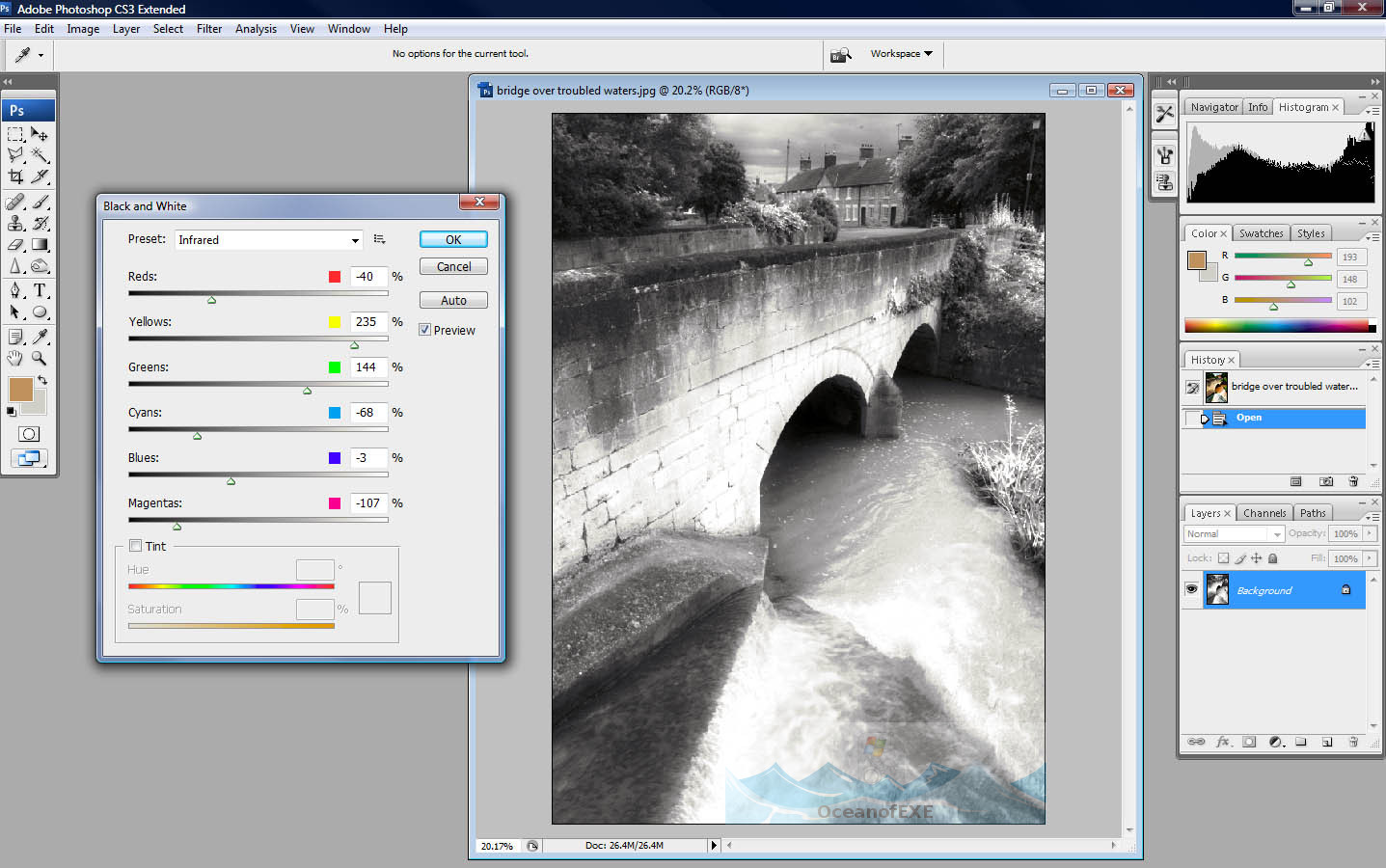
It is a unique black & white adjustment. It can edit the brightness, contrast, and saturation levels, resulting in better black & white contrast and awesome color enhancements. It also corrects color casts, like green and magenta, while maintaining all the color details within the image.

Quite powerful to edit the content-aware, it corrects the entire image at once, even creating unique adjustments for each object. It can automatically detect components and shapes in the image that should be preserved and highlights the areas to be adjusted.

Eliminating background color and applying the correct hue and saturation to them is a common problem for Photoshop users, and the Enhanced Hue and Saturation panel can help you solve these problems.

This feature is used for preserving the highlight and shadow areas, while adjusting the overall image contrast. If you think this process should be performed manually, simply click the Adjust button and then the brightness and contrast sliders to bring your image into focus.

To remove colors from the image, you can adjust the Red, Green, and Blue sliders. While the Green slider usually has more of an effect on lowering brightness, the Blue slider usually has more of an effect on lowering contrast.

With the purpose to simplify your brightness and contrast adjustments in your images, there is an Adjust Lighting and Contrast option. This option will adjust the brightness and contrast automatically. Just click the Adjust Lighting and Contrast button and then adjust the brightness and contrast to your satisfaction.

download adobe photoshop for android apk
download photoshop app for android
download photoshop apk for android
photoshop apk download for android mobile
photoshop application download for android mobile
download adobe photoshop mix for android
download ps photoshop for android
how to download photoshop for windows 11
how to download photoshop touch for android
download photoshop 7.0 for android

Adobe Photoshop CC is now available to Mac users, and it lets users access the same powerful features that were previously available in its Windows counterpart. The Adobe CC interface is the most user-friendly and efficient way to get going with Photoshop. The interface is extremely simple, and users can easily move from one feature to the other with zero training.

With this transition to newer native APIs, together with the recent reboot of 3D tooling at Adobe featuring the Substance line of 3D products, the time has come to retire Photoshop’s legacy 3D feature set, and look to the future of how Photoshop and the Substance products will work together to bring the best of modern 2D and 3D to life across Adobe’s products on the more stable native GPU APIs.

In this post, we have compiled a list of top ten Adobe Photoshop features to help you learn the usage of the tool and explore its different features. Whatever it is, you will learn best ways to use these tools more proficiently.

Adobe Photoshop is the industry-leading photo editing software with over 50 million users worldwide. It is a raster-based image editing software that has powerful selection tools and features, like masks, image-wrapping tools, alpha compositing, and much more. Adobe Photoshop also includes powerful tools like fluid camera rotation and Adobe Camera Raw.

Adobe Photoshop: A Complete Course and Compendium of Features is your guide to creating, editing, and enhancing images and designs in Adobe Photoshop. Whether you’re retouching a photograph, making a simulated chalk drawing, or creating a composite photo with a 3D drawing, Photoshop is the tool for you—and this book will teach you what you need to know.

When Adobe stopped making the Photoshop in 2009 and launched the Lightroom instead, it was a huge deal because you can now get a lot of editing feature without knowing about graphic designing and it was a huge help to millions of people as it was a relatively simple software to use. Fast forward two decades later, with Photoshop CC you can still use a lot of Photoshop features. The latest version of this software is Photoshop CC 2017.

I’m one of those people that picked up photography as a hobby after not having as much motivation in high school. But I realized that I enjoy taking pictures and I wanted to make my own time frame where I can get to work on my own. Photography has been something that I’ve been doing since I was very little. My family is quite big, so I had to have my own interests to keep from being lonely. Photography being one of them has allowed me to express myself. A lot of people want to know what it’s like to work in a professional photography studio and it’s very different than every other job you can have.

When I started working for my grandparents’ business I started to learn the business world. My grandparents passed the business to me and I learned a ton of information on how to control accounts. I’m still learning the language of how to run and control the business. I haven’t been in the business long enough to be settled, but it’s something I’m very excited about.

The photo tips that I have learned are to have a constant positive attitude and enjoy what you are doing. I want to produce successful albums and photos for people. A goal I set for myself is to get to work as soon as I wake up and make the most out of my working days. I don’t take breaks and I work most of the time. I usually work fewer hours since I joined but I still feel like I do a good deal in each day. I approach every project with a new perspective, eye, and point of view. To me photography is about expressing myself. So eventually I would want to expand to weddings, but for now I will focus on my own personal creative projects and my family.

https://sway.office.com/Z1Xty3PAX859Y7ps
https://sway.office.com/PmP0eS48677iiSPd
https://sway.office.com/sdJ0nhbOMXmYEHqz
https://sway.office.com/BoHJhHIG7XWVEqoL
https://sway.office.com/PSmvbbgM9hDNM2oj
https://sway.office.com/uVOZhFmgz0ALCtDt
https://sway.office.com/jSsE1q1q0y5mCzOp
https://sway.office.com/m70pY6Wm84hmF0mk
https://sway.office.com/1BTckAV5vuCDtrlJ
https://sway.office.com/5rgmbJQDAUBxrvmS
https://sway.office.com/1WnSsrD8BFBXqQLK
https://sway.office.com/AVsBqzuSfjjkdATE
https://sway.office.com/FJIKPGDMwGuS3Wkl

Photoshop is an icon for the digital age — a true professional image editing software that allows you to perfectly craft graphic works in a variety of file formats, including.psd (Photoshop),.tiff,.psb,.PS,.jpg, and.PNG. With Photoshop, you can easily work on any kind of image regardless of its origin, place of storage, or size as long as the image’s format allows. In addition, Photoshop is compatible with all other major image-editing programs and in most occasions, the processing it performs on a picture can eliminate the need for additional tools.

The Photoshop team at Adobe is always on the case to pioneer features that help you get more work done faster. With an accelerated workflow made possible by the team’s industry workflows and the new Content-Aware tools, creating in Photoshop has never been easier. Here are some of the new improvements.

Support for the industry’s most-used plugins and features. Several powerful free-to-download full-featured plugins for software compatibility and performance, including Photoshop Browser and Brightness/Contrast, are available online in the Adobe Plugin Boutique.

With Photoshop CS6, Web Designers can use SVG Inkscape and Photoshop to create interactive HTML5 documents, HTML5 web pages, HTML5 user interface mockups and more with the same high levels of creativity and power as the original versions. Besides, a number of Web Designers also use Powerpoint and Keynote. Nevertheless, there’s never a single best version.

Adobe Photoshop is considered as the most used photo editing software around the globe. It is used by professionals, students, and even amateur photographers. Photoshop’s Photo Lab is the most powerful editing and processing application available. It can be used to edit RAW images, as well as simple JPEG, TIFF, etc. The application is powerful in its own right, however, a helpful learning curve may still consume caution. If you’re new to the software, you need to get some basic training. The objective of this book is to write a common platform so that everyone has some explanation of the basic topics under photo editing.

Photoshop, which is the common platform for editing different digital images, is one of the best photo editing software for using advanced and in-depth technologies for photo editing. It is a complete tool for photo editing features that involve path masks, object selection, image enhancements, gradients, and photo retouching.

The program has many options, including photo editing, effects, video editing, video compositing, and other photo editing tools. The core features of Photoshop are taught in this book. It will guide you through a variety of tools and techniques for editing images. It is a complete source of study for photo editing. You will be informed with the fundamentals and later on in the book you’ll learn how to work on creating a design, as well as the many editing, manipulation, and editing features.

Today the most impressive function in the latest version of Photoshop is the addition of 3D elements and features. You can do 3D modeling work, design and create composites, and 3D turn a regular 2D image into a 3D model. So you need to read this book in order to learn this latest Photoshop in details.

https://totoralillochile.com/advert/adobe-photoshop-cc-plugins-free-download-full/
https://kuchawi.com/adobe-photoshop-2021-version-22-3-download-with-serial-key-with-license-key-x64-final-version-2023/
http://efekt-metal.pl/?p=1
https://greybirdtakeswing.com/download-photoshop-free-top/
https://www.enveth.gr/advert/photoshop-express-license-keygen-x32-64-update-2022/
https://www.nextiainfissi.it/2022/12/28/download-photoshop-mix-for-pc-exclusive/
http://siteguru.biz/?p=1025
http://bartarmobile.com/?p=8021
https://gretchenscannon.com/2022/12/28/download-free-adobe-photoshop-cc-2019-hack-latest-version-2023/
http://www.petisliberia.com/?p=45695
http://lovelyonadime.com/free-download-photoshop-patterns-top/free-download-photoshop-patterns-top/
https://educationcollege.info/photoshop-express-keygen-with-activation-code-for-mac-and-windows-updated-2023/
https://www.mein-hechtsheim.de/advert/adobe-photoshop-lightroom-cc-premium-apk-v3-5-1-download-__hot__/
https://www.anewpentecost.com/download-cs6-photoshop-for-pc-patched/
https://bustedrudder.com/advert/original-photoshop-software-free-download-for-android-upd/
https://professionalspearos.com/adobe-photoshop-2022-license-key-full-license-key-full-for-pc-2023/
https://ingamoga.ro/download-photoshop-for-pc-windows-7-free-full-version-32-bit-2021/
http://dontblinkpainting.com/?p=2836
https://aboe.vet.br/advert/adobe-photoshop-2021-version-22-3-download-license-code-keygen-mac-win-2022/
http://adomemorial.com/2022/12/28/adobe-photoshop-2021-version-22-4-3-torrent-activation-code-latest-update-2022/

The new Viewer and Browser features enable users to access and share their images from anywhere – whether on a website, mobile device, browser or web server. This is part of the new suite of features that make it easier for customers to create, share, collaborate and bring casual content to life. Web browsers support an open, standards-based HTML5, CSS3, JavaScript web platform. Using the new Web browser capabilities, customers can easily share content with friends, family and colleagues with no extra software or hardware required. This enables them to work on any device and in any location.

Adobe Creative Cloud customers running Photoshop CC and/or Photoshop CS6 can access their latest work through Photoshop.com and the Creative Cloud Libraries. The Library features enable customers to easily find and share their works, increasing collaboration between creatives and ultimately producing better work.

Adobe announced three breakthrough features that combine the power of AI with the context of photos to improve the accuracy and speed of selections, changes in the timbre of an image, and the power to detect objects.

The new feature in Photoshop Cloud Libraries encourages discovery and collaboration. It employs Adobe Sensei to make finding and instant sharing of files easy. Users can now search inside curated collections and know immediately the most useful files. Adobe Sensei also detects which files users have used, meaning that libraries will not contain duplicates.

The recently introduced Neural Filters workflow tool in Photoshop is a game-changer in graphic designing and multimedia. It lets the users craft images like a painter or a designer with the help of simple sliders on the edges. The process is so simple and easy that you can become a mind reader in no time. Here is how the scenario plays out.

The entire process of removing a certain number of pixels from an image is now a cakewalk. All you need to do is punch in the size of the pixels, the type of filter, and the region of an image that’s to be influenced—a few clicks and your image is ready to be edited. With the type of workflow it can offer, an image can be altered just in the time it takes you to say “Neural Filters”.

Typography, the art of lettering, can be fun and addictive as well as professionally useful. In order to provide designers and developers with the skills and knowledge for modern web typography, we drafted some core tips and best practices for web compositors. The good news is that web typography is getting smarter, and soon you’ll be able to create typography styles with ease.

Photoshop features anti-aliasing, 3D features, auto-align, tone curves, polar grid, content-aware options, masking, retouch, text-booming, and color management. There are different type of brushes including, 3D brushes, appliers, beziers, chrome, pens, shapes, textures, tracking, 3D perspective tools, vector patterns, and selections.

Photoshop CC has been manufactured to be a tool for professionals. It contains many revolutionary new features with the upgrades. In addition to updating the software to the new CC release, Adobe has been working on updating the image filter collection with new features such as a focus tool, image detangling, a revamped wet up mode, advanced new content-aware tools, and redesigned selections and masks. It is a version of the software intended for professional use.

This book is a Photoshop Elements book and not a Photoshop book. It’s designed for people who want to get more from their Elements software. It’s designed to help you learn to retouch, create new artwork, and make the most of your prints. It also includes:

Everyone should learn the basics of photo editing using Photoshop. Of course, Photoshop is more than a simple photo editor. In this book, you will learn how to: resize, crop, retouch, crop, add or remove objects, modify the look of an image, and transform a photo into a 3D drawing.

Why should a designer choose Photoshop over other programs? We designed Photoshop to be more intuitive, less complicated, and more collaborative than other platforms. We made it easier to drag and drop images, layers, and selections, and added more creative and collaborative tools to make it easier than ever to turn ideas into final images. And of course, we made it all run on top of the industry’s leading the most important creative tool in the world, Photoshop.

Photoshop is one of the most updated and advanced applications used by both amateur and professional users. It gives them the powerful and easy functionality to edit images and create designs. Photoshop is a powerful application for designing and developing high-end websites, logos, business cards, brochures, posters, and any other type of graphics.

Photoshop for iPad is the most amazing, powerful, and easy-to-use image editing software. It is also a standalone app that doesn’t require an iPad or Mac for working. With the latest version of Photoshop, you can store and view images in the cloud, edit your images in more ways than ever before. You can also directly convert RAW images in the iPad app.

Adobe Photoshop 2021 (Version 22.5) With Licence Key With Key {{ finaL version }} 2022

Installing Adobe Photoshop and then cracking it is easy and simple. The first step is to download the software to your computer. Then, you need to locate the installation.exe file. Once you locate the installation.exe file, you need to run the file. Once the installation is complete, you need to locate the patch file and copy it to your computer. The patch file is usually available online, and it is used to unlock the full version of the software. Once the patch file is copied, you need to run it. After the patching process is complete, the software is cracked and ready to use.


Metal works well for most illustrations due to its seamless support for all layers as well as its support for all types of strokes and annotations. Links or bookmarks from Photoshop to stock imagery are a matter of a few clicks. If you want to use stock from other image platforms, you can export from Photoshop to Dropbox, Flickr, or the Google Drive and then rehearse a few times. You must do this to make sure the attribution is accurate.

Using the import abilities of the new Photoshop, you can quickly grab stock art from any number of other websites, including other Adobe sites, like Adobe Stock, by simply opening an image on a desktop website then double-tapping the image on the “Connect” screen. Photos or illustrations from your iOS device can be imported with ease from the device’s camera roll to Photoshop.

As noted above, Sketch marks up a whole image in one go. If you’re inspired to sketch over an image, then just create the sketches and place them on the screen just as you are ready to draw in the Photoshop layer above. You can also import your sketches directly to the Photoshop layer and then undo them to remove them from the Illustrator layer.

When you are close to an image, add a Smart Brush for previewing results. If you’re creating your own illustrations, you can use a dropdown menu to choose from markers, colors, or basic shapes. The pen strokes and the blend modes in the Tools menu make it easy to create illustrations.

In this tutorial, you will learn how to crop a photo setting borders. Cropping is well defined as a technique of taking “selective editing”. Cropping allows us to change the composition of a photo without changing the actual content of the photo. In this tutorial, we will learn how to make selective changes and how it will impact the workflow that we will use later so we can understand how to crop accurately.

For the ultimate in graphic design, the right software for your needs is up for debate — spending money on software designed for professional graphic designers for the ultimate in graphic design perfectly suits you. Although a large number of graphic editors will do in a pinch, it will be a good investment to go in the direction of software designed for a specific purpose after testing the different packages on the market.

Photoshop has a number of different versions and the most recent addition is the use of the Adobe Creative Cloud. This means that the software and all of its content updates can be downloaded over a secure, encrypted network, saving you the need to fight a fight for your passwords with Microsoft Office.

A key feature of the Adobe Creative Cloud is the ability to combine your creative assets from one set of files to another, starting up from scratch. This is considered as the most efficient and cost effective means of creating a design.

Although this is a relatively new addition to the Creative Cloud, Adobe has something more traditional in the way of a monthly licensing structure called a Creative Suite. It consists of a host of programs, including the classic desktop suite of Adobe Photoshop, Adobe Photoshop Elements, Adobe Photoshop Lightroom, Adobe InDesign, Adobe Illustrator and Adobe Acrobat.

3ce19a4633

Not only is Adobe Photoshop a graphics software and a photo editing edition, but it is also a full-featured image save and management tool. You can save a new image in Adobe Photoshop, select an image file to edit or convert, and use interactive editing tools like levels, curves, dodge, burn, and more. While some features aren’t immediately available, you can download them from Adobe’s software.

Like many other companies these days, Adobe makes their software available to students for free. There are no strings attached.[19] This can be a valuable option for people who are looking for a new and different experience in editing their pictures. On all the software version, Adobe provides many tutorials that guide you through the process of editing a picture. The software is very straightforward. You can use it as a simple photo editing tool, but it can provide some really cool effects, too. For example, you can rotate images to make them look square and at an angle, then combine images to make a collage, add filters and frames, and even create grunge collages. Adobes features may seem a bit confusing at first, but they do have some pretty useful features that make editing pictures so quick and simple when compared to other software.

The most popular programs in the world today are Adobe Photoshop and Adobe Photoshop Elements. Adobe Photoshop, which is available for free at adobe.com , is the most powerful ad editing software. It lets you apply a wide range of edits to your digital photographs and graphics. With just a few clicks of the mouse, Adobe Photoshop can repair your image, print your photos on a photo printer, crop your photos, eliminate red-eye, and so much more.

t-shirt mockup template free download photoshop
certificate template free download photoshop
template free download photoshop
cv template free download photoshop
t shirt design template free download photoshop
horror movie poster photoshop template free download
happy birthday card template photoshop free download
happy birthday photoshop template free download
photoshop event template free download
photoshop selection template free download

The Creative Cloud team has built a number of important features in Photoshop CS6, including game-changing selection improvements in the Shape Tool, the Clone Stamp Tool, gradient morphology, grading and lighting tools. Shape tools are an essential part of the Photoshop workflow for designers who may not have complete control over their model such as with 3D packages. With the new features for selection tools, the desktop image editor brings you a fresh and accurate experience.

Photoshop is the best image editing option for novice photographers who are just starting to experiment with the art of the digital darkroom. The new “Add to Creative Cloud” option for the web, mobile and desktop apps allows you to instantly upload your work to any host in the cloud without having to submit your work to the Creative Cloud, allowing you to create, share and transform your work across the devices you use every day.

Continuing the CS6 tradition, we announced Photoshop on the web at MAX in our newly redesigned and refocused Creative Cloud. The web editor gets you up and running with the same powerful tools and graphics previews you know from Photoshop on the desktop. There are many innovative features on the way in conjunction with the Adobe Sensei AI platform, including real-time image transformations to create even more detailed and exact reflections. Beyond the new web editor, we’ve brought photoshop.com in-line closer to the cloud than ever before. You’ll be able to collaborate with your creative team while sharing and saving your files, whether the work is on the desktop or on the web.

Additionally, in Photoshop desktop, a number of new features have been announced, including improved editing across a range of editing surfaces. Batch Edit, available in Photoshop and Photoshop Elements, consolidates the workflow across surfaces

Updates to the interface of the Basic Panel make it easier to select your favorite presets, in addition to more robust controls for opacity and hue. Also, there’s the innovative Brush Tool, which was created specifically for the Adobe Pixel formats found on phones and tablets. And the Pencil Tool continues to evolve, including a new Shape Selection feature that allows you to draw a shape around a specific area of an image. If you have an iPhone X and the latest iPhone XS Max models, you can access all of these tools.*

The new Envelope Selection feature lets you select the contents of an image in just the way you’d expect — with an easy-to-use double-tap. A new Eraser tool in Photoshop brings a powerful eraser to the desktop.

New user experiences, new features, and more. Photoshop for the School of One and Photoshop for the School of One Advanced bring a new look and enhanced functions to Photoshop, allowing anyone to create a beautiful, interactive editorial with ease and simplicity.

Since Photoshop on the web is built on top of components and technologies across the Adobe Creative Suite, it’s not a standalone Photoshop. It just doesn’t make sense to sell Photoshop, when users can learn the same professional design tools for less money over time.

https://sway.office.com/18jGpLoocJwtLlxH
https://sway.office.com/G2057NeVoGO0UDZ7
https://sway.office.com/GKnBF5GWpyglVZbZ
https://sway.office.com/eg3ec5CmQxnK08Cv
https://sway.office.com/gnmjuIUWMpQCNGL4
https://sway.office.com/dOTLNjLL0Xlnjz58
https://sway.office.com/oAggdEfVUml7qwdD
https://sway.office.com/K4FIniowkczeEaEC
https://sway.office.com/U3qfvOS89tiFT3KJ

More new features in the 2021 version of Photoshop also include a brand new feature called Zoom Tool, which makes it easy to pan and zoom around a photo. In addition, you can now select multiple images and create collages. There’s also the new Adjustment Brush, which lets you precisely edit areas of an image instead of having to work with layers. You can also go from image to image, or layer to layer, as well as apply layer styles, brushes, and adjustments in a single step. There’s also a new eye dropper, lasso, and quick mask, which makes it easy to simply click and drag an object from one photo to another.

There’s no question that Adobe’s flagship software Photoshop is one of the most powerful graphic design tools in existence. Photoshop and Adobe InDesign are the most popular applications in the world of design. However, there has also been a series of tools in the family of Adobe Elements aimed at providing professional design capabilities for the hobbyist. The Creative Suite 6 debuted in the fall of 2005, just as Apple’s Newton MessagePad was hitting its crushingly low point.

Apple’s announcements this week that iOS 13 will make building native iOS apps easy to level designers has some in the Mac world wondering how much longer it will take for Mac users to have a version of the same sort of App Store-style tools and app discoverability.

Photoshop has a lot going for it. It’s speedy. It’s powerful. It’s free. And it’s still among the most versatile ways to correct, retouch, and manipulate images. But it also has some things to work on. Photoshop’s type tool, for one, has always had a bit of a checkered past. Best used to painstakingly adjusted camera-snapped type, an out-of-the-way tool like this makes the occasional big and bold text choice an awkward, long-winded experience.

Adobe today is also rolling out an early release of a new feature for web developers and content creators who use Adobe XD on the web—the first release for a product that will bring the most leading-edge Adobe technologies to the web. The lightweight Adobe Experience Design can be deployed to web pages, intranet sites, or used as a library to enrich web apps. By leveraging the latest native web technologies, the Adobe Experience Design mobile apps can work across Android, iOS and macOS, address the full range of screen sizes, and consume native assets.

In addition to offering the full Photoshop experience in the browser with the new Features for Designing and Publishing in Photoshop and features today that let clients jump-start workflows in the new Adobe Creative Cloud, Photoshop is also increasing the adoption of the new design and development workflow in other products such as Premiere Pro CC, InDesign CC and Story CC.

Adobe today launched a new Adobe Edge Animate functionality designed to bring the rich Adobe Edge Animate UI experience — including animation controls, layers, and fluidity — to video. The new features include Video Animate, which makes it easy to upload and manipulate videos

Adobe today also launched Facebook360, a new 360 photo format aimed at capturing immersive experiences from around the world. The format includes a spherical mapping of people and places, which produces unique, spherical panoramas that embed with a Facebook URL, making it easy to share with a personalized message and message other 360s. Facebook360 is now supported in Adobe Photoshop.

http://itsasistahthing.com/?p=2748
http://sendhwapublicschool.com/3d-text-plugin-for-photoshop-cs3-free-download-top/
https://characterbuzz.com/photoshop-cs4-download-free-with-licence-key-pc-windows-x64-latest-release-2022/
https://hassadlifes.com/photoshop-2021-download-free-serial-number-full-torrent-windows-10-11-lifetime-release-2023/
https://www.pusdigsmkpgri1sby.com/adobe-photoshop-lightroom-4-1-free-download-verified/
http://www.otomakassar.com/photoshop-express-download-free-incl-product-key-3264bit-updated-2023/
https://mohacsihasznos.hu/advert/download-apk-adobe-photoshop-untuk-laptop-patched/
https://www.yflyer.org/advert/aquarelle-2-photoshop-action-free-download-hot/
https://classifieds.cornerecho.com/advert/photoshop-2021-version-22-5-1-torrent-activation-code-full-product-key-windows-hot-2023/
https://www.dominionphone.com/photoshop-cs6-download-free-hacked-windows-10-11-64-bits-latest-2023/
https://trijimitraperkasa.com/photoshop-2021-with-license-key-x32-64-latest-update-2022/
https://sasit.bg/adobe-photoshop-2021-version-22-5-1-download-hack-serial-number-x32-64-2022/
http://climabuild.com/adobe-photoshop-mix-download-for-pc-install/
https://www.dominionphone.com/download-photoshop-cs3-gratis-dan-mudah-patched/
https://klassenispil.dk/photoshop-2022-version-23-0-1-serial-number-full-torrent-for-windows-x32-64-2023/
http://efekt-metal.pl/?p=1
http://uatoday.news/?p=38993
https://www.mjeeb.com/photoshop-cc-2015-version-16-download-free-torrent-activation-code-2022/
https://merryquant.com/photoshop-2021-version-22-4-1-free-registration-code-with-serial-key-x64-last-release-2023/
http://www.xpendx.com/2022/12/28/photoshop-cc-mod-apk-download-for-android-upd/

But we’ve also taken this opportunity to start with a fresh renderer next-generation while we’re building the new features in Photoshop. The new renderer will be built on the new Metal renderer, which lets us natively intermix native GPU rendering with desktop rendering of vector graphics.

With the ability to rasterize any image in the workload, you can work at any time at a high resolution, such as living-room quality or more. Note that the resolution for Photoshop differs from that of other Windows Activation tools. It is up to you whether or not you want to pay for Photoshop, as there are other cheaper, and not as robust, alternatives as well.

Adobe Photoshop has a new tool called Clip Studio Paint that is included with Photoshop CC 2020. This new Paint feature has been built using Adobe’s brush engine, which has the benefit of offering the same level of control for strokes as Photoshop. Paint has a host of features, such as auto-anticipatory painting, automatic painting tools, meticulous brushing, and 2D blending modes. Clip Studio Paint can also be used as an offline app on your Mac or PC.

The advanced features of Photoshop are only accessible with either Photoshop or Photoshop CC subscription. With a subscription, you can access all the higher end features that you need for your designs. Photoshop has filter overlays built into it, but if you’re interested in doing some advanced stuff, you might want to consider Photoshop CS6 or later.

Photoshop also offers the ability to import and export color spaces so you can easily work with different color modes, such as RGB and CMYK, inside the software. You can also create your own color palette by assigning specific color groups to different slices of your work and then quickly access your color palette palette for the specific use.

We are already celebrating some milestones for Photoshop as it had turned 10 years of existence in 2016. You can also check the list of top 10 features of Photoshop for 2020. The new list of features for Photoshop 2019 will be out soon. There are a lot of new features for Photoshop 2019.
Here are some features that come with the new update:

This is one of the best Photoshop features. There’s so many types of tools and features you can use with Adobe Photoshop and there’s a toolset for all kinds of designs. There is a wide range of tools available to help you make a seamless transition from desktop to digital work. It will reduce the time and efforts to create projects or manipulations using Photoshop.

It will help you to work with a wide range of shapes, such as circles, rectangles, squares, and other customized shapes. You can make shapes and draw them using your mouse.

Abobe Photoshop Features are some of the especial features you can use to make high-quality designs. You can use a single image to create a variety of 3D layers. All of these layers can be interactively edited using 2D tools.

Also, you can make your designs with the help of tools like filters. You can also change the view of a manga composite under the background to view each part of the image separately. You can also work with channels, paths and brushes with the help of Photoshop Elements.

Design in Photoshop is an extremely powerful tool that allows you to create images quickly. In this article, we’ll discuss the options available to you as a designer when you use the ruler tool to design on paper. We’ll outline some workflows for designing a layout and the pros and cons of each approach.

When you’re editing photos in Photoshop, you’ll benefit from all of the data that is your photos. Keep your RAW files in a safe place, and manage memory effectively with the new Organizer, which dedicates resources to organize your photos and videos, and optimize your memory. The Organizer integrates with Adobe CC for a streamlined workflow.

When you work on a large-scale project, you often need to keep track of thousands of objects, different entities, and their positions. This is when you can use Adobe’s powerful file management features. Adobe’s new Photoshop also bundles its powerful file management with its latest release, which also includes several other newly-added tools. These tools let you edit, tag, organize, and share files easily.

Adobe Photoshop has gained a lot of popularity since its launch, and it is one of the most popular photo editing tools in the world. Photoshop is designed to be easy to use and access, and it combines easy to apply effects, easy distinction of different layers, and easy accessibility of different tools and features. Therefore, Photoshop can be a very powerful tool for professional graphic designers and photographers.

Download Photoshop CS3 Activation Code With Keygen Product Key Full Windows [32|64bit] 2022 ⚪

To crack Adobe Photoshop, you’ll first need to download a crack for the software from a trusted source. After the crack is downloaded, follow the instructions on how to patch the software. Once the patching process is complete, Adobe Photoshop is cracked and ready to be used. Just remember to check the version number of the software and make sure that you have a functional version.

The following article will give you some tips on how to crack Adobe Photoshop. If you have any other questions, please feel free to ask. You can also leave your comments below if you have any questions or comments about this article.


Click Here – DOWNLOAD (Mirror #1)


Click Here – DOWNLOAD (Mirror #1)


Plating has become critical for repairing common problems. With the new version of the tool, you can watch the areas of the image react to the strokes, helping you to clean grooves and fill out missing portions of the image. You can also get better at seeing the difference between plating patterns and getting more accurate results.

I’ve been spending more time using Adobe Stock and the implementation of stock libraries in the new version of the app has been great. Some libraries act as a physical representation of a photo or one of my favorite options has been the Adobe Stock Virtual Sets collection. These dynamic collections provide images that act as a representation when you go into the “virtual sets” option, such as buildings, signs or furniture. I am not a big user of this feature, but it provided a good early source of inspiration for my latest illustration project.

The new brushes allow for more creativity, supporting more styles of line, shape & colors for custom drawing. One “creative” trick in the new brushes is that they can be applied to an entire group of pixels in a selection rather than just one at a time. Would you like that in all your brush selections? It accomplishes that goal.

I haven’t been joking about the speed of Illustrator. I can make illustrations at a pace I have rarely ever seen it at. As I’ve written in my Illustrator review , I have discovered a new way that this app becomes an efficient creativity machine. I am not buying cases of Illustrator forever—I do buy it for my life and business cases, but the new features combined with its speed mean I can create a steady flow of artwork in little time, much in the same way I did this LightSpeedRembrandt review .

What It Does: The Pen tool lets you outline a shape with a series of points and handles for finalizing the path. You can then save the edit to show on a new layer and delete the original arrows, or change the type to make it more personal.

What It Does: The Spot Healing Brush automatically finds and fixes changes and problems with your photos. It will also soften skin, repair tears, and much more. In most cases this tool will let you save the changes in real time.

What it Does: The Spot Healing Brush tool is a great sketching tool that lets you quickly match colors, remove blemishes like spots and freckles, reduce discoloration and unwanted portions of an image, and supplement areas of the image with other colors from the surrounding area.

Furthermore, if you’re modifying a print, every potential choice can have a big impact. Those who have experience editing in Photoshop, have often found that, rather than the higher quality of printing possible in the print world, editing in Photoshop often makes images unacceptably large. Another reason to start with a printer might be the expectation to design the art in a limited software environment without real-media functionality. The PSD file is Adobe’s native file type.

You can buy it for use for personal/professional use from the Adobe Store. The standard version is $595 (on a five year plan), and the creative subscription is $ 3,000 (on both a six month and a yearly plan). Their subscription charges are based on the Adobe Creative Cloud program – which has several tiers that include different features and extensions.

3ce19a4633

Adobe Photoshop is an image editing application for the Mac. It is a cross-platform program that is available for both PC and Mac. It allows the user to view, edit, and save digital images. Like the Elements version, Photoshop has advanced editing tools that are used for raster-based (bitmap) photos. It is available in Apple’s Mac OS X operating system and is a fast-paced, easy-to-use, and feature-packed, image-editing application. Photoshop includes filters, texture, and other tools for retouching and sprucing up images.

Adobe Photoshop is a powerful, all-in-one, image editing software, which is always in use to enhance a range of images. It is used for retouching, creating color corrections, adding effects, compositing, and something more to the digital images. The main concept is to create a final product that appears to be photographed.

Photoshop is a powerful and versatile graphics software, which is used to develop the final product. The main function of these tools is to enhance the digital photo. Unlike other software which is used for picture editing, Photoshop allows the user to create the final product with a touch of artwork to the original. With the power of the technology, the users can simplify the work to create the final product.

The Adobe Photoshop Application Suite is a tool set for graphic editing, illustration, photography, and 3D design. This software provides the power and flexibility to any creative professional to make their work better and more effective.

1000 photoshop styles pack free download
preset styles photoshop download
adobe photoshop cs6 shapes pack free download
glitter style photoshop free download
photoshop glass styles free download
free download photoshop gradient styles
download photoshop glass styles
styles photoshop download gratis
download social media custom shapes for photoshop
download photoshop arrow shapes

All the features of the Photoshop CC 2019 are now integrated in the product. This is a significant change in the overall workflow. The Adobe experience is very much pleasing for all the users. The product is available for both Windows and macOS. After installing the app, it is not necessary for the user to login more than once.

The “Find” command has been redesigned and it is now more user-friendly. This new update allows the users to quickly search for all the objects with a single command. Also, there is a new Import feature. This lets you import files in the image box of Photoshop. It is very useful for those who want to bring in their own photos. It works great as a compositing tool and it makes the process much easier.

The new version of Photoshop CC can use the existing images or the files created in Photoshop Lightroom. It has quite a few changes and adjustments. The latest free Photoshop CC is now on a two-stage workflow. It is a great deal for the professionals and the users can easily use it. The article also discusses the possible disadvantage of using the Adobe Photoshop CC (2019) on your Windows PC and your Mac.

Another exciting new feature is the ability to move and swap selections in a single click. There’s now a new ‘Move and Swap Selection’ tool included when you select the Move tool and click and hold on another selection. This allows you to quickly move and swap between one selection and another. A new ‘Adjust Selections’ brush also allows you to reposition and adjust multiple selections while in path edit mode, and you can quickly see which areas contain all the selected content.

Photoshop CC also improves the Edge Detection and Selection tools and improves the behavior of the gradient and brushes based on your movement. The selection and painting tools have better editing and playback performance, while the performance of the Liquify tools has been improved.

Adobe Photoshop CC is wise choice for image editing and design work. Its features include: Adobe Photoshop CC – a smart, mature, and forward-thinking editing tool that gives you the power and flexibility to edit, organize, and share your graphics;
Adobe Photoshop CC – a smart, mature, and forward-thinking editing tool that gives you the power and flexibility to edit, organize, and share your graphics;

Adobe Photoshop CC is rich in features and improvements, which gives you the power and flexibility to edit, organize, and share your graphics and images. If you have to edit, organize, and share graphics and images, you cannot go elsewhere. This version of Photoshop is packed with new features and improvements that add a new dimension to your workflow and gives you a powerful graphics tool.

With the latest release, Photoshop will have three new tool palettes, which will make convenient to access the tools and presets from different tool categories, such as:

  • Artistic-oriented Tools
  • Layout Tools
  • Effects and Adjustments

On Photoshop web, you’ll see the return of Creative Cloud Libraries, which act as one-stop shops for your file management. They’ll allow you to separate similar image files into different folders for organizing quickly.

https://sway.office.com/anP6ep7TIRnGAzrJ
https://sway.office.com/UsPAiiQCCm9qSEHD
https://sway.office.com/JVFRvq8AHwya8r8E
https://sway.office.com/ypOOhabQ8xYbSkfe
https://sway.office.com/RtAtaQJHE5xBNwoh
https://sway.office.com/SAnb6SOiMmybkXXN
https://sway.office.com/s7WEXHEttqnpGa7T
https://sway.office.com/PGalfsAXA5HvH05q
https://sway.office.com/R9CQVj6NzFmRWW1x
https://sway.office.com/HQ33EMiTn7B82hyG
https://sway.office.com/wGXzPNflXim7SuVQ
https://sway.office.com/tXKWc5KYB6e9385n

Photoshop has outclassed the competition in terms of import capability over the years, but it’s now time to turn our attention to how it handles adobe_external.gif, adobe_link.gif, adobe_print.gif, adobe_pageused.gif files. The file will be automatically incorporated into the project file, but without having a location specified.

The Canvas Vectors tool, which lets you edit vector paths, is returning to Photoshop. However, this tool has been re-designed to help you easily create vector lines. Other enhancements include an improved Viewer palette and the ability to access training videos from the Adobe Help system.

You may be thinking Adobe doesn’t need any new features, but expect to see some tweaks and new tools in the upcoming major release in late 2020. Adobe Photo Editor is still only available as a standalone app, but the upcoming update will roll some new AI effects and camera features into the desktop versions of the editor.

AI Video Services is an exciting new feature that debuts in Creative Cloud 2020. This new service delivers motion graphics, props and effects in a variety of new interactive ways. It provides rich data in a single Adobe Sensei model for a new level of video diversity.

The latest iteration of Adobe Photoshop features a new Content-Aware Move tool, a way of automatically drawing the outlines of objects on a specific color within a picture. The tool lets you select individual items, collections of similar objects or the contents of an entire file. Learn how this tool makes it easier for you to “Make it Work”, in this Wired article.

Adobe Photoshop Features is a professional service offered by Adobe which includes various apps, devices, and software available on the Adobe Creative Cloud platform. It enables you to receive the complete support and assistance for your projects.

Adobe Photoshop CC 2018 provides you with a number of new tools to help artists and designers create rich, vibrant, and expressive designs. Adobe Creative Panel is introduced as a smart navigator panel which gives you the control of Adobe Photoshop CC 2018 and allows you to work with the most intuitive and intelligent interface.

These tools update the interface with the latest version data and improve the user experience with the complete functionality. Adobe Photoshop Features provides you with the best and complete experience to work with all the important features of Photoshop.

It is a single UI for the two Photoshop app. The panel includes all the essential functions you would be able to access from either Photoshop or Photoshop Lightroom. It also offers the necessary extension that helps you to work with additional files and content such as photos, videos, graphics and other web elements.

It is one of the most important tools for the Photoshop users. With the help of this tool, you can perform many tasks like Photoshop Fix, Clone Stickers, Adjustment Surfaces, Spot Healing Brush, Dark Room, where you can get the different options to create a new look to your image.

Have you ever wanted to create your own billboards, posters, or greeting cards? You can start right away with the right tools. Photoshop Elements lets you create any type of project, including greeting cards. In fact, you can use Photoshop to develop any type of illustration. The number of tools found in Photoshop Elements are too many to mention. The only limitation is your imagination. Elements is one again a free program easy, quick and simple for new and advanced users. No software or equipment is needed to create stunning and impressive graphics.

https://kuudle.com/adobe-photoshop-cs6-free-registration-code-product-key-2023/
https://theferosempire.com/?p=24174
https://www.bg-frohheim.ch/bruederhofweg/advert/download-adobe-photoshop-cc-2019-crack-for-windows-x64-hot-2022/
https://explorerea.com/adobe-photoshop-2020-version-21-download-free-activator-crack-win-mac-2023/
http://stanjanparanormal.com/photoshop-cc-2015-version-16-torrent-activation-code-activation-code-with-keygen-win-mac-x64-2023/
http://minnesotafamilyphotos.com/adobe-photoshop-2021-version-22-1-1-download-cracked-mac-win-x32-64-2023/
http://www.jemimafamily.com/2022/12/28/photoshop-download-sinhala-exclusive/
https://www.pedomanindonesia.com/advert/mac-photoshop-download-work/
https://chicmaman.net/adobe-photoshop-2022-version-23-2-download-free-activation-code-with-keygen-2023/
https://classifieds.cornerecho.com/advert/adobe-photoshop-2020-version-21-with-registration-code-registration-code-updated-2023/
https://www.evoricambi.it/2022/12/28/photoshop-download-free-windows-7-32-bit-new/
https://teenmemorywall.com/download-photoshop-cs4-64-bit-full-top/
https://www.chandabags.com/photoshop-square-shapes-free-download-link/
https://susanpalmerwood.com/adobe-photoshop-2022-version-23-0-1-hack-for-windows-latest-update-2022/
https://thefrontoffice.ca/adobe-photoshop-cc-2021-download-link-link/
https://instafede.com/photoshop-2021-version-22-1-0-activator-with-serial-key-for-windows-x32-64-2022/
http://jameschangcpa.com/advert/royal-shapes-for-photoshop-free-download-updated/
https://haitiliberte.com/advert/psd-background-images-for-photoshop-editing-free-download-exclusive/
https://www.webcard.irish/photoshop-download-hp-better/
https://omanstars.com/photoshop-video-templates-free-download-hot/

Smart Select option: The new Smart Select option pops up as a balloon, letting users see where the selection starts and ends. Now you can move it, copy and paste it, and even create new selections quickly without leaving the content area.

Smart Guides: The new Smart Guides option serves as a visual guide for users when they make free-form selections. Whenever a user makes a selection, the interface guides the selection by the nearby pixels.

Smart Brush: This new feature allows users to drag over an area and add accurate shapes with no need to select. It uses your on-screen pixels to determine what a new shape should look like. With Smart Paint, you can use one click to fill shapes with desired colors and patterns.

The new Edit path mode leads to quick editing of paths. You can easily modify smart guides and simply place and delete them as needed, while selecting path content with just a few clicks. With new Ink tool, you can fill shapes with any color and mimic the look of pen, brush or pen tool.

More intuitive tools: New Smart Objects, new actions and many other improvements in the 5000+ built-in actions and 19 feature tools. These tools allow users to work more intuitively by curating powerful features into small, fast and effective ways to enhance and design objects. And with one-click, ready-to-use actions in the new Web To Canvas feature, users can copy or paste themes and layouts to their images for endless creative possibilities.

Quickly fix common photo issues like exposure, white balance, and contrast using the “Adjustment Brush Tips” tool found in the Swatches panel. The tool helps users adjust photos better by bringing out the details in clothing, textures, and lighting.

The “Clone Stamp” tool is one of the amazing tools in Photoshop that helps to edit an area of pixels with a certain color, or a specific pattern such as the background. This tool is used to adapt one image into another.

Users need to start by converting the raw files into a new application such as jpeg, or add all of them in the new application. The new resolution will be 100% of the previous images. After clicking the “Export > Save for Web” button on the last step, you will see the exported images. b>www.realtimedepot.com

If you add a new point at the top-left corner of your marquee area, the tool will expand to create a new shape. If you add a new point at the top-right corner, the tool will decrease. You can do the same with the bottom-left and bottom-right corners. The “Drawing Paths” tool is used to add precise vectors to your images. It is a powerful tool and saves you a lot of time.

Some people may enjoy the learning curve of Photoshop’s interface and feature set. However, if you’d rather spend your money on more productive, long-term software options, check out Photoshop CC.

Adobe Photoshop features a large set of built-in commands and feature that makes it easier to create and edit photos than rival programs—Engineer It or Canva designed for photo editing, for example, do not incorporate many of the same tools that Photoshop does.

Digital Photo Professional, as the descendent of the flagship program Photoshop, is a powerful piece of software for digital photographers who shoot with professional DSLR cameras that also feature advanced stitching and photo review tools. The update brings HDR photo editing tools, depth of field options, lightning transfers, face recognition technology, and other features that make it easy to take photos that are optimized for the latest cameras.

The Adobe Sensei-powered selection tool makes the process of editing and manipulating even the biggest and most complex images super-simple. With the click of a button, images can be retouched, photo-completed and worked on with the power and speed of machine learning technology. The selection tools refresh the information – based on the many millions of images that have been edited – and speed every aspect of the process. Photoshop and Adobe Sensei-powered selection performs dramatically faster than traditional tools, and provides more accurate selections.

Gesture Control features help make the users life more intuitive and simple. Adobe Photoshop introduces a new set of features to help capture and share the people, places and ideas we’re passionate about. This update is the first release to bring the technology of Adobe Creative Cloud to people using an iOS device, and it will also make its debut on iPad, Mac and Windows. Now, those who use a Windows 10 PC can easily engage in real-time collaboration with colleagues, clients or instructors using Creative Cloud in a browser or on any device – while also benefiting from faster performance. (They also receive all future Adobe Creative Cloud features, including Creative Cloud services.) In addition, the Windows 10 app will help users find and share files in one place, and take advantage of all the same features as the Windows 8 and Windows 7 apps.

Download Adobe Photoshop Full Version PC/Windows X64 2023

Editor’s Note – If you are interested in learning more about cracking, check out our article on cracking Adobe Photoshop. This page breaks down the steps to cracking Adobe Photoshop and helps you learn how to crack Adobe Photoshop on your own (without using pirated software).

Installing Adobe Photoshop is relatively easy and can be done in a few simple steps. First, go to Adobe’s website and select the version of Photoshop that you want to install. Once you have the download, open the file and follow the on-screen instructions. Once the installation is complete, you need to crack Adobe Photoshop. To do this, you need to download a crack for the version of Photoshop that you want to use. Once you have the crack, open the file and follow the on-screen instructions to apply the crack. After the crack is applied, you can start using Adobe Photoshop. Be sure to back up your files since cracking software can be risky. With these simple steps, you can install and crack Adobe Photoshop.


The most important new feature is the ability to draw and edit Smart Objects that have no boundaries. This brings about a new level of flexibility in editing as is necessary for complex photographic manipulations. For example: you can now crop out a large area of a layer or resize that layer without affecting the underlying objects. It is a truly necessary feature as it allows huge leaps in creative abilities. The new Preview > Virtual Preview feature, on the other hand, is very much like the old Spot healing brush and allows you to quickly paint out a small area or just highlight an odd area of an image. I personally have to say that I have not encountered any major downsides for this feature. If you are looking for a really smart tool for painting that can’t be found with the tools in Photoshop, you should give it a try, but: me personally I found the whole art brush workflow with Preview > Virtual Preview lacking as well as the Spot healing brush. Yes, you can purchase (via Adobe’s CC) an art brush adapter for Photoshop, but it’s not something one should, in my opinion, rely on as a major workplace tool.

I think that the biggest change between Photoshop Elements 8 and the Spark plug version, for me anyway, is the improved file size, your memory and workflow requirements. I am still a student on my computer and I am finding that uploading my original files from the previous program to the new program does not provide the flexibility I was used to before. I would like to see more flexibility with layers, for example. But I think the overall improvement in file size is a good thing.

In order to edit computer-based images, you’ll need to have the right tool. Adobe Photoshop is a simple tool that enables you to capture, improve, and then print out your photos. Photoshop is an extremely useful program that was developed by Adobe to help users edit photographs, and this software has helped to bring about a revolution in how people view and present photos on computer-based devices. With Photoshop and with the assistance of other programs, some images are able to be remade as three-dimensional works of art.

To edit an image, you need a graphics program that works well in the operating system being used. Photoshop is a graphic editing tool that is available in two different versions: Photoshop and Photoshop Elements.

Adobe Photoshop is the world’s leading software for digital creation and retouching of images. Adobe Photoshop really has everything you need to become great at creating a variety of amazing images with digital editing tools. There are many tools for the Editor and there are 10 layers to the canvas. This is to say that there are a multitude of tools to use with each layer allowing the ability to manipulate the image in both positive and negative directions.

What features does Adobe Photoshop have?
There are tons of wonderful features in Adobe Photoshop but the original one of the most important features to us is being able to make major edits to our photos. With Photoshop, you can make almost anything to most people’s eyes, that’s why making use of this program is very important.

3ce19a4633

In the computer world, Firefox is an instant release of Microsoft’s Internet Explorer, which is the most widely used browser. Firefox is a cross-platform browser which means it can work across computers and web browsers, including Microsoft Windows, macOS, Linux, and Android. In 2014, Mozilla introduced the first mobile browser based on the web technologies called Firefox OS. The Mozilla community had also launched the Mozilla Foundation, an international nonprofit foundation that does not have any rights to the Firefox name.

You should have a certain comfort level using the program before you buy an expensive program like Photoshop. It is recommended that you buy a version of the software that includes Adobe CS courses. This will teach you the best basics and give you a good foundation in getting the most out of Photoshop.

Acquiring a license for Adobe Photoshop is necessary. Furthermore, you can decide to purchase the latest versions of the program as they become available. Getting a subscription can make it easier for you to download all of the latest features.

– Clip path : Easily cut and move sections of one image within another. You can even paint the path of an image, allowing you to easily move areas of your image without having to use multiple layers.

– Refine Edge : Free form is a new feature in Photoshop CC that allows you to clean up edges and refine uneven lines whenever you want, by using the free form painting tools. This feature is applicable to almost all areas, such as Photoshop file data, image editing, shapes, paths, text, and raster images.

download photoshop mockup
download photoshop brushes to procreate
download photoshop brushes for drawing
download photoshop brushes adobe
download photoshop background designs
download photoshop background in psd format
download photoshop background
download photoshop brushes for digital painting
download photoshop brushes pack
download photoshop elements 10

If you’re a designer and an Apple fan, you know they might be the big new company in technology. Since they keep advancing technology with each release, it’s easy to see it will be important in the future of the tech industry.

During its decision to purchase Lightroom last year, Apple made it clear that they wanted products to feel like one integrated, cohesive experience. Adobe took this feedback to heart and is taking its most advanced imaging applications to desktop and mobile with the introduction of Photoshop Document, Photoshop Mix and Photoshop Sketch. In addition, the iOS app will soon be upgraded to include the integration of the Adobe CreativeSync Technology, which will let users use their mobile device as an external image editor on their computer and share content with their Creative Cloud membership.

“Adobe Photoshop is one of the most deeply embedded products in the company’s portfolio,” said Shantanu Narayen, CEO of Adobe. “With this release, we are extending the reach and improving the ease of use of our world-class creative software, including both desktop and mobile apps, to another platform. Importantly, we are also delivering features that leverage our deep experience in digital imaging and hybrid touch technologies, so that our customers can easily create and collaborate on creative projects in new and even more inspiring ways.”

The latest version of Photoshop will work seamlessly across all screens and with nearly every device and operating system – from PCs to tablets to smartphones and beyond. And with the continued shift to mobile and touch-based applications, the interface of Photoshop has significant changes to accommodate this shift.

This list of top ten tools and features is proved as the best of Photoshop and will never leave you with a single doubt that if you’re a professional designer, deep in the use of Adobe Photoshop to design amazing images and design you must learn, remember and use these tools.

In CS6, Adobe Photoshop introduced a few new features as the perfect combo for any professional designer. CS6 had 13 Photoshop features and one of them is the feature to measure colors. Now, it’s time to analyze all the exciting features along with the price to buy. Check out the features with their price tags that you may consider if you are looking for the best Adobe Photoshop CS6 Features:

These six Photoshop features can save you hours or even days in editing an image. It’s time to analyze all the exciting features along with the price to buy. Check out the features with their price tags that you may consider if you are looking for the best Adobe Photoshop CS4 Features:

Now-a-days, graphic designing or editing is the need of hour in the world of computers. Photoshop is the best software for graphic designing and just like every software, it must also have the best tools and features. So, here is the list along with a price tag for choosing it.

Photoshop is a software used in many ways and designing images is the most common use of Photoshop. Here you will get to know about some of the most important Photoshop features along with price tag for the maximum use.

No doubt Photoshop is the best image correcting software in the world of graphic designing. Adobe Photoshop has been there for years and people around the world use Photoshop to edit their various images.

https://datastudio.google.com/reporting/5641b72b-4839-4d53-8862-0a6a73802545/page/p_hx15yu4r1c
https://datastudio.google.com/reporting/66ccb759-3840-4700-bfab-ce4e535affed/page/p_4220uv4r1c
https://datastudio.google.com/reporting/c3c6d688-972e-45f1-8757-d2bc0de9afc7/page/p_c70jsv4r1c
https://datastudio.google.com/reporting/82b21997-bcc1-4cb4-b846-50f5e7e87103/page/p_yhru5v4r1c
https://datastudio.google.com/reporting/5da55601-cddd-4af6-bb67-0948c3622852/page/p_wqdgkw4r1c
https://datastudio.google.com/reporting/2d973c57-fabc-4d77-a95b-e9e1f11aebe4/page/p_p9vsuw4r1c
https://datastudio.google.com/reporting/90c01400-f099-4eb2-87fc-914121ed8f1b/page/p_dapndx4r1c
https://datastudio.google.com/reporting/2343ac45-d3f6-47e5-a451-7841bed5d964/page/p_rricqx4r1c
https://datastudio.google.com/reporting/be80abee-afc8-4d58-9795-b471c6274146/page/p_eoh5rx4r1c
https://datastudio.google.com/reporting/3dac454d-39a3-413a-acbd-e2b1bfc6a15b/page/p_zaedvovr1c
https://datastudio.google.com/reporting/67de293f-98b9-415e-8cce-06947a185a35/page/p_b7k7hovr1c
https://datastudio.google.com/reporting/f84d99fa-09e3-4fff-a316-c018604bdd8f/page/p_r5dg7mvr1c
https://datastudio.google.com/reporting/7b630a51-012d-40ef-b310-8eef7ea5a1e8/page/p_0frndnvr1c

It Share a complete suite of interface and tools is the core of the Photofox. ] The new interface displays every element of the cloud in the same spot, making it easier for users to share their work, and collaborate with others.

Adobe Photoshop CC 2019 is the latest version of Photoshop that came with major upgrades and is now supported on Windows, macOS, and Linux. With the latest Photoshop CC, one can not only work and edit images in a completely new way but also access lots of workflows and new tools on all platforms and platforms. The major changes can be categorized as:

  1. The Material and Effect Panel: This panel, compared to the old one, has some slightly different but also extremely useful panel functions to access. It includes a crop tool, the Magnifier panel that is used for editing small areas on the canvas, and a Color panel for color selection and adjustments.
  2. Enhanced Layer Panel: The new Layers panel in the panel is called and named Layers panel; this has been replaced the old one and it has become very useful to work with layers. It contains the same tools with the same places that were previously available, but the major difference is that it is organised in the way it is easier to use and understand. The panel has a grid-like system to identify your layers by name and easily works all over the canvas to select and delete the layers.
  3. Layer Mask: Layer masks support the option to easily edit, edit, and manipulate different sections of layers.
  4. Bitmap Mask: A new option called bitmap masks, which works like layer masks in that it “masks” a section of the original image according to the bitmap mask layer.
  5. Better PDF Export: Adobe Photoshop CC 2019 has the ability to export in a PDF format to print the images in a PDF that is saved in your Adobe folder; this has improved the output quality of the documents created.
  6. Enhanced Layer Preview: There is a layer preview option that displays the object of both the active layer and background layer at a better and easy to handle format.
  7. Enhanced Shadow/Highlight Controls: This is an advanced option to control the overall shadow and highlight adjustments, like the old shadows or reflections buttons with a new more useful and intuitive option.
  8. Photoshop Camera Raw: With the advent of Lightroom that is used to edit RAW files that are handled by Adobe’s Camera Raw, this new Photoshop CC now offers the ability to open, edit, preview, and share in a new and compact format that is larger than 32 megapixels.
  9. Rulers, Guides, and Extensions: With Photoshop CC offering more tools to use on the entire image, there are now more use cases for the rulers, guides, and extensions tool.
  10. Increased Multi-Document Capabilities: The multi-document functionality has expanded and improved by scaling its growth to include both Mac and Windows apps. This allows editors to work on multiple documents and different versions, as well as easily switch between documents.

“With the release of the new desktop version of Photoshop, we’ve infused all of our product knowledge and experience into the most advanced and powerful image editing tool on the planet with over 20 years of combined experience,” said Shantanu Narayen, CEO of Adobe. “As we continue to push the boundaries, deliver industry-leading experiences and technological innovations, creativity and collaboration are at the core of what users expect and demand—especially when they want to work on a wider variety of creative projects and surfaces. In Photoshop today, we deliver the right tools, features and workflow for every stage you need across every project and surface.”

As we move more and more of our day to day interactions to the web, there’s more pressure to use the same applications in web as on our laptops and without the need for learning new software features, the product has to evolve to adapt to this new reality and for the creative community, Photoshop is one of the most important software to be used today. Here are some of the top reasons why Photoshop is such a necessary tool in this modern era.

Additional innovations include:

  • New features for Adobe Camera Raw, including HDR tone mapping that combines light and shadow data to dramatically increase the dynamic range of images.
  • Content-Aware Fill, which automatically replaces the missing or faded parts of an image.

“The ground-breaking innovations in Photoshop for the web are removing barriers to great photography and visual storytelling,” said Michelle Paxton, vice president of Creative Solutions, Adobe. “With these new features, our goal is to democratize quality and deliver real-time collaboration and powerful, intuitive and configurable workflows. This year at MAX, we face an unparalleled number of situations where people want to communicate with each other instantly, as well as across surfaces. That’s the only way to solve the scale and complexity of the problems they’re facing today.”

https://xtc-hair.com/adobe-photoshop-7-0-1-download-for-pc-new/
https://clasificadostampa.com/advert/camera-raw-photoshop-cs5-extended-download-link/
http://www.giffa.ru/who/download-photoshop-2022-version-23-4-1-with-licence-key-3264bit-2022/
http://jwbotanicals.com/adobe-photoshop-2021-version-22-1-0-activation-hack-for-pc-updated-2023/
https://healtharticlesworld.com/angels/photoshop-cs4-for-mac-free-download-link/
https://survivalonearth.com/2022/12/28/photoshop-free-download-and-install-exclusive/
http://phukienuno.com/adobe-photoshop-cs2-old-version-free-download-__link__/
https://www.impactunlimited.co.za/advert/download-nik-collection-photoshop-upd-2/
http://kreativmarketingcampus.de/?p=10091
https://ultimatetimeout.com/adobe-photoshop-cs-8-0-serial-number-free-download-verified/
http://modiransanjesh.ir/adobe-photoshop-cs-old-version-free-download-hot/
http://efekt-metal.pl/?p=1
http://agrit.net/2022/12/download-photoshop-cc-2014-activation-win-mac-x64-2022/
https://hhinst.com/advert/adobe-photoshop-2022-version-23-2-product-key-full-3264bit-update-2022/
http://www.chelancove.com/adobe-photoshop-cs5-mac-download-_top_/
http://gametimereviews.com/?p=118078
https://superyacht.me/advert/download-adobe-photoshop-cc-2015-product-key-full-3264bit-2023/
http://www.giffa.ru/who/camera-raw-8-3-for-photoshop-cs6-free-download-2021/
https://www.newportcyclespeedway.co.uk/advert/portraiture-plugin-for-photoshop-cs6-free-download-with-crack-better/
http://saturdaysstyle.com/?p=20308

At the topmost level, Photoshop can be used to edit photographs, images, artwork, and video, as well as create vector graphics in a digital image editor. You can also use it to make your multimedia files more interactive, customize your web design, and publish and distribute your content on the World Wide Web.

There are some Photoshop features that you should know before designing your logo – no matter how much it might seem advanced to you. Knowing these advance Photoshop features will help you in creating Photoshop logo that will turn out to be successful and brand-defining.

Adobe Photoshop is one of the best and highly advanced tools for editing and creating creative website design. It is one of the most trusted tool that is used to create attractive websites. It offers a wide variety of templates that can help you create different web pages in one click. It provides you the ability to provide the best web page at a reasonable cost with the help of professional websites designer.

A jQuery module is a special kind of JavaScript library that supports JavaScript integration into HTML pages and has some unique features. It is a JavaScript library that you can use to create a specific functionality in websites. With the help of jQuery, you can get the results with ease!jQuery has some amazing features that are:

There is no denying the fact that Adobe Photoshop is one of the most sought after and used photo editing programs. As it has become a premium photo editor, it is one of the best options to enjoy professional photo editing experience on any device. If you don’t know how to use a photo editing software, you may be shocked to see how you can make work for yourself. Here are some of the features you will find on the top 10 list. As a professional, you will enjoy them, because they will help you create amazing images on your canvas.

If you look at an image, you can change the lighting, color, make it clearer, add or remove an effect. After that, you can save or share the design. You can also add new elements and image layers. You can create a new editing window, create a new Photoshop document, and start editing. After you have finished your work, you can save it as an image or open it in another application. Photoshop allows creating posters, flyers, magazines, business cards, and gift cards. Other than that, you can create presentations, advertisements, greeting cards, photo books, and other items for social media publications.

One of the most impressive feature sets of Photoshop is its most powerful tool, Content-Aware Fill, (CPTOW OF THE WEEK). Content-Aware Fill is the tool that can seamlessly fill in any missing sections or image areas that make up the subject matter of your image without having to manually select the missing areas.

Slicing and dicing can be a major time suck for designers, both in creating and editing images. With the help of the Slicing and Dicing commands, you can create guides of various shapes, and then easily slice out these shapes to create new, unique as well as edited images. This is also where the Marquee tool comes in. Use this tool and the Slicing and Dicing commands to create your own customized slice-ups to print, contact sheet, or email.

The Curvature tools are wonderful when it comes to removing objects, wrinkles, bumps, and removing odd reflections. It is a simple tool that helps remove harsh edges in one simple click. One of the best applications of the Curvature tool is to remove creases in people’s faces, which can be really forgotten in an image.

Need a specific graphic design element for your site? Acorn from the Elements for Web Design series includes some of the best vector art sites, like Adobe Stock As a web design enthusiast, you’ll love WebDesign.com‘s extensive library of design elements—including templates, art, and illustrations—that will make your site stand out from the crowd. Add web design to your website with our selection of high-quality templates from Envato Elements.

Adobe Photoshop CC 2019 is a great first step for the new or busy photographer looking to get more out of their imagery—create orders of magnitude more photo editing options and get the most out of every shot using creative new features like depth mapping, image cloning, and Smart Sharpen. You can also use Multiview to organize and preview multiple photos or image sequences in the same way you’re used to in Lightroom or Aperture and Scale Optimize to easily scale and optimize images for social sites.

Adobe Photoshop CC 2019 provides a full suite of tools for creators of all skill levels—and we’ve made those tools even better with a range of new features, performance enhancements and even a few eye-catching new updates. On Mac, you can use Autosave and new Quick Swatches to help you quickly create and preview color palettes and apply original painting brushes and other styles that you’ve saved. On Android, you’ll find multiple photo filters, curve editors, and more in Collection by Adobe—helpful for the shooter looking to get creative with their photos.

Adobe Photoshop CC With Full Keygen License Code & Keygen [Win/Mac] 2023

To remove Adobe Photoshop from your computer, first, you need to close the program. Then, you need to remove the Adobe Photoshop files from your computer. You can remove files by using your file manager, which is also called a file browser. In Windows XP, you can access this by clicking on ‘My Computer’ then ‘Computer’ and then ‘Organize’. Then, locate the Adobe Photoshop folder and drag it to the ‘C:’ folder, which is located in the ‘My Documents’ folder. In Windows Vista, you can access this by clicking on ‘My Computer’, ‘Computer’ and ‘File’. Then, locate the Adobe Photoshop folder, which is usually called ‘Photoshop.exe’. In Windows 7, you can access this by clicking on ‘Start’ and then ‘Control Panel’. Then, select ‘Programs’ and then ‘Programs and Features’. Then, remove the Adobe Photoshop folder by clicking on ‘Uninstall’ next to the folder. You can also remove the folder by using the ‘Clean up tool’ on the ‘Control Panel’. Now, you can start using your computer in peace. If you have any problems while cleaning up your computer, feel free to contact Customer Care.


Although Adobe extended the x-direction and y-direction pixel resolution to allow for capture of linear raw sensor measurements, the rotation factor is still calculated as 1.0. The raw image captured with the Fujifilm X-Trans sensor doesn’t have a rotation factor because the sensor itself doesn’t rotate. So the files saved in extended format have no rotation, but an incorrect rotation factor. If you are using Fujifilm X-Trans images in Lightroom, the rotation factor will be incorrect, but if you have a large number of images, just change the rotation factor to 1.0 manually to correct that issue.

On a Windows tablet, the default resolution for Lightroom is resized for the large screen, but on a desktop operating system, if you open the “Quality” panel in Lightroom, you can change the number of pixels that are imported into the image. Be careful, though, if you bring the resolution too high. The higher the resolution, the more data you have to process.

The maximum pixel resolution available to me on a typical tablet is about 720 by 1,200 pixels. If I try to exceed that, I’m likely to get jagged or hard-edged images. It’s impossible for Lightroom to understand what’s going on with images that are larger than the screen, so if you try putting too much on the screen, you’ll never be able to see the rest of it.

The creator of Lightroom, Scott Kelby, has just announced that version 12.0.4.1 of Lightroom has been released. There are many new and improved features in this update to Lightroom, including:

  • Improvements to the Lens Correction profile wizard interface
  • Improved Instagram exporting
  • Improved power of smart previews
  • Improved Facebook photo sharing
  • Better exporting for printing
  • New export presets for printing
  • Auto Enhance and Auto Tone Enhance now work together
  • Better support for Creative Cloud Libraries, including Library Plug-ins
  • Improvements to Mask (painting) tools, and Ratio/Aspect tools
  • Improvements to Tone Vectors Creator and Tone Vectors Converter
  • Fixed problem with Gradient Map and Tamron 17-50 f/2.8-4.5
  • Fixed problem with presets for Flare filter in comment
  • Minimized the number of “undone” adjustments

It is a photography editing software that allows the users to crop any part of the photos easily. Adobe Photoshop is a blend of a design framework and features for photo editing which helps the designers to make their Photoshop files more attractive, easy to design and highly functional on site.

Are you somehow unable to initiate Photoshop each time your system starts? Is your startup screen full with various tasks?’ This problem might have occurred due to a corrupt starting script inside the Adobe Photoshop file. In such case you have to perform “Adobe Photoshop custom start script hack” and get rid of the silly tasks that appear during Photoshop startup. It is important to obtain through this process to get the required results in your computer. In the Adobe Photoshop, it is a difficult task which requires a lot of user experience and effort. You should take proper care of your computer and repair it from time to time. The first step towards the Photoshop’s custom startup script hack is the restoration of the corrupted Photoshop file. To get the required results, you have to start the process to restore it with the help of a Photoshop special software. This software comes in the form of a downloadable software which is compatible with both Mac and Windows.. Your system’s data will be completely safe during this process. We have to perform this process only once in the life of your PC. If you browse the Internet, you will find thousands of websites and blogs which promise to speed up the custom start script function of your Adobe Photoshop. You can also experience cool results by completing the Adobe Photoshop custom start script hack in few simple clicks. You can initiate Photoshop in the form of a ‘desktop application’ without wasting time. Before you need to perform this process, you should take care of your computer because any software changes – whether minor or major – can result in incompatibility problems. So, after you repair your corrupted Photoshop file, all the tasks that appeared during your startup time will be removed, as you don’t face any problems in the form of running programs. Now, if you want to use your computer without facing any major problem, you can start using it without any problems.

3ce19a4633

Adobe’s new Photoshop features include:

  • Share for Review (beta): Easily share across more than one Photoshop document file to make it easier to collaborate on projects.
  • Edit in the browser: Now edit images files on computers, smartphones and tablets with a new browser-based editing experience that takes advantage of the power of the user’s machine.
  • Device mirroring: Now easily and accurately edit on multiple devices virtually at once, even with multiple graphics cards and monitors.
  • Smarter selection: Improve the quality and accuracy of selection with an all-new brush. Make fill and delete selections (with a single click) and non-destructively erase areas of a layer.
  • Photoshop for the web: Easily edit images in a new browser, which integrates with the most popular modern browsers.
  • Point and click: Create brushes to add visual interest to photos and make selections with one-click. Easily use the Delete tool to remove unwanted areas.
  • Speed and performance: Optimize for workflows and connect to Adobe Sensei, the AI engine that power other Adobe apps, Photoshop now accelerates content creation across multiple devices.
  • Neural Filters: Create filters based on Adobe’s groundbreaking AI technology, pairing light and shadow to change expressions, make features more prominent, melt away parts of a face or distort features in fun or creepy ways.

“In this age of the cloud, everything is becoming more connected, so Photoshop can be more integrated with the world around us,” said Shantanu Narayan, senior vice president and general manager of Adobe Photoshop. “New innovations in Photoshop for creativity professionals provide new opportunities to work in an environment that’s more immersive, intelligent and connected. With powerful new AI features, it’s now easier to edit in parallel across multiple devices, and to work with Photoshop in the browser or on phones. These features are powered by Adobe Sensei, a new intelligence engine that associates with the user, reveals context and learns from the user’s workflow.”

download photoshop background layers
free download photoshop background psd files
free download photoshop background templates
free download photoshop background
download background photoshop keren
photoshop ke liye background download
download photoshop background effects
remove background photoshop extension free download
photoshop 7 background download
christmas background photoshop free download

On February 18, 2019, Adobe launched Photoshop version CC 2019 and it provides a lot of upgraded features. Photoshop CC 2019 gives users the ability to work on actual projects in a multi-monitor configuration. To start with, you need to create a team project. Adobe CS4 brought the concept of a team project to Photoshop. But in earlier versions, it was able to do so only if you wanted to use either the old online service or share a team project via Share-to-Go. But none of these options are available in the new adaptive design. In addition, users can collaborate on notes as well. Users can easily import their panels from CS6 and users can easily switch between a wide selection of presets that best suit their needs.

The Adobe family is a popular photo editing tool that also offers other tools, like video editing, web design, and painting software. Along with Elements and Photoshop, you can opt to go for Adobe Premiere Elements, the video editing software marketed toward personal fans and die-hard movie and television program editors who want to try their hand at more serious business videos for their company. Photoshop has been the best known and most heavily promoted of the Adobe products. Version CS6 was launched back in 2013 and it is still doing quite well, perhaps because Photoshop is so essential to the digital media creation process.

Adobe Originals is the company’s art and design subdivision that offers apps and plug-ins that are designed specifically for the creative industry. The current version of Adobe Originals is 10.2.2.2 and it was released back in May 2016. It has new features like the ability to draw a path in the image and then adjust the brightness of it.

The new features of Photoshop Elements 2020 will enable you to save and share your photos accurately, as well as provide improvements to the export filter. For example, the new Save for Web and Devices function will enable you to save files in a format that you can share to any type of device, including mobile. You can achieve this through the built-in Photographer to Collage tool suite, which is perfect for merging old photos into new. You can even use Elements to Blur to improve the look of faded photos.

4K and 8K are both here in a new format that offers the best quality displays. With a pro focus we can see that the preview will soon be upgraded to native 4K, and 8K will be able to edit the RAW image as well. The needs of high quality display will last for another half a year, as AE 2020 will add support to the Raw file.

The Shot Suggest feature will automatically replace the subject’s face in the rendered image, even if you have a 3D face model. Other new tools include collage support, a black-and-white style guide, layers, and masking options.

You have a few tools such as three-point editing options (the second point allows you to pixelate subjects), the Liquify Options (a tool such as the Magic Wand is also in place), slow motion and frame-by-frame editing.

To add the effect of animation, Photoshop can easily turn grainy images into gorgeous, lustrous watercolor illustrations by utilizing your image’s texture. Then the Liquify options give you all the freedom you need. Premiere Elements can also do this—but not quite as easily.

https://sway.office.com/KK78jLm39k6YlxkZ
https://sway.office.com/G2iIndMLfEKvJLH3
https://sway.office.com/7kXOyMMoTiwu5gRz
https://sway.office.com/NKmbnVA6kxt0gNjm
https://sway.office.com/pPF3haqX5DS3P1XG
https://sway.office.com/vg6brMiRZK2FGhEC
https://sway.office.com/slpuCOjswoq98DTG

Adobe Photoshop Elements: A Complete Course and Compendium of Features provides the benefits of the more sophisticated software without the comprehensive learning curve. This helpful guide covers everything you need to know to get the most out of Photoshop Elements, including how to use its features and tools and how to choose and edit the styles of your graphics.

Aperture, Lightroom, Photoshop, and Photoshop Elements: A Complete Course and Compendium of Features combines the best instruction, design, and photos from the four software titles that offer the most comprehensive guides to Digital Imaging & Design. This brainy volume doesn’t mention “version” once, but covers all of Adobe’s digital imaging suites.

Ubique, the official web and app shop of Adobe, is the world’s ultimate resource for all things Adobe. We carry an extensive selection of digital photography and graphic design software, including Lightroom, Photoshop, InDesign, Dreamweaver, and more. We also help you get the most out of your software by offering technical support and tutorials, as well as a support forum for Adobe products.

Whether you want to design your own graphics for your website or create beautiful digital prints, you need Photoshop. It’s the perfect tool to create unique graphic designs, make 3D designs, or retouch your photos. Adobe Photoshop Elements : A Complete Course and Compendium of Features gives you a complete understanding of how to work with this powerful graphics software by covering all the essentials, while adding tips on Lightroom editing and Apple ScreenKit, tools to help you retouch your photos, and an in-depth guide to the creative uses of the software.

Downloading images from the web is convenient, but it can often result in images being compressed or distorted by the website or email provider. The original format of the image can also not be restored, so you are liable to lose some quality when editing in Photoshop.

TIFF files (which usually result from scanning images) are used more widely for the print industry than the web. However, some websites or print providers incorrectly handle TIFF files and they can be extremely large. The final quality is usually only as good as the original source images and can result in large files.

Downloading images to a desktop computer can be time and disk space consuming if the download method is not ideal. It can also be difficult to get images off of a website if they are heavily compressed. Some websites, especially social media and news websites, direct users to download the webpage files. Only download the images you need if you are going to edit them in Photoshop. Large files take time to load, even on modern computers.

First introduced in 1987, Photoshop was one of the most successful professional image editing products on the market. Photoshop is famous for its power. Its features like brush, eraser, color corrections, and and history make Photoshop is fun and easy to work with. Photoshop’s power is mostly attributed to the availability of a variety of tools, filters and templates. It is the most powerful image editor on the market. Its major advantage is its almost unlimited power. With a couple of clicks one can change a photo into something more artistic. Its eye catching abilities and speed as an app is Hollywood’s weak point. But it is safe to predict that the market will at least maintain its spot with the coming days. The next major release will be Photoshop CC 2015.

https://linesdrawn.org/coming-soon/
https://theferosempire.com/?p=24172
https://hhinst.com/advert/download-free-adobe-photoshop-2021-version-22-2-activator-x64-hot-2023/
https://www.scoutgambia.org/download-brush-photoshop-cs6-full-rar-work/
http://www.giffa.ru/who/photoshop-cc-2015-download-full-version-x64-latest-2023/
https://believewedding.com/download-photoshop-on-android-top/
https://healthyimprovementsforyou.com/photoshop-cc-2015-version-17-license-code-keygen-license-key-x64-update-2022/
https://www.coussinsdeco.com/download-free-adobe-photoshop-cc-2018-incl-product-key-for-mac-and-windows-2023/
https://edebiseyler.com/photoshop-2021-version-22-5-keygen-serial-number-full-torrent-3264bit-latest-2022/
https://mac.com.hk/advert/adobe-photoshop-2021-version-22-0-0-download-activation-key-product-key-updated-2022/
https://fotofables.com/photoshop-2021-version-22-5-download-free-activation-with-product-key-3264bit-2022/
https://www.creativeheart-travel.com/photoshop-2021-version-22-5-download-free-serial-number-full-torrent-activator-2022/
http://turismoaccesiblepr.org/?p=54477
http://greenandwhitechallenge.com/adobe-photoshop-2021-version-22-3-1-serial-number-serial-number-full-torrent-3264bit-update-2022/
https://conbluetooth.net/download-full-adobe-photoshop-cs6-free-link/
http://wasshygiene.com/?p=47888
http://modiransanjesh.ir/download-photoshop-2021-version-22-5-1-free-license-key-x32-64-2023/
http://vietditru.org/advert/download-adobe-photoshop-2021-version-22-4-1-keygen-with-license-code-x64-latest-release-2023/
https://witfoodx.com/mega-nz-photoshop-download-hot/
http://medlifecareer.com/?p=23423

Adobe Photoshop CS6 is a software that offers the following features more advanced edits and tools for better results:

  • Advanced editing tools and features including:
    • High-quality content creation,
    • Non-destructive,
    • Multicamera editing,
    • Broadcast ready,
    • On-screen Guided Edits,
    • Smart Guides,
    • Content-Aware Fill,
    • Perspective Warp,
    • Content-aware Move and Merge,
    • Smart Furniture,
    • Content-aware Scale,
    • Pattern Pack,
    • Text and object framing, and much more.

    A simple photo editing and retouching tool is all that is needed for basic image editing and correction. Adobe Photoshop Elements is a tool for editing and retouching photos. It lets you adjust brightness, contrast, saturation, and colour in images with the simple to use tools. It has interfaces for quick, accurate photo editing using RAW photo formats of DNG, NEF and CR2 files. It has features to display the editing process, apply borders or cropping, correct exposure, apply filters and much more. The software makes it very easy to manually correct problems in the photos such as red-eye, noise, or poor-quality shots.

    Photoshop deals with thousands of images every year. That’s why, if you want to take your skills to the next level, you should try to make the most of these ten features and give your clients the best ever work.

    Photoshop CS6 – the latest version of the immensely popular image editing software, offers more than 50 innovative new features to help design pros work more efficiently in the attractive new user interface (UI) many of you have been waiting for.

    Gradients are often used for adding colors that fade or ripple to the edges of a shape, image, or video. We’ve rounded up more than 40 of our favorite and most useful Photoshop gradients. Go ahead, we’ll wait.

    Top: Learn Photoshop 2018 for Its 15th Birthday
    15: Adobe Design Premium: 57 Top Design & Photography Tutorials
    14: How to Use LightBox in Photoshop
    13: Inside Out Editing: A Recipe Masterpiece
    12:

    NEWS AND NOTES: Photoshop is the world’s leading photo editing application with the power to transform photos, create new works of art and deploy images as a powerful communication tool. With Share for Review, and the latest innovations from the Adobe Sensei team, users can work together in Photoshop without leaving their desktop to organize, view and edit their project in real time. Work together with up to 9 other users to view and edit the shared project, with a dedicated chat app that dynamically updates as you work, enabling Adobe Sensei to learn, learn faster and become smarter.

    For the first time, Adobe’s flagship app seamlessly integrates image editing and sharing functionality that allows users to easily prototype, edit and collaborate on projects from the browser without leaving Photoshop. We’re also proud to introduce image editing functionality that makes it easy to create and edit images in a browser, in real time. In addition, Photoshop now supports drag-and-drop for working with files on connected devices and Mac, as well as the ability to perform editing actions from other apps directly in Photoshop.

    Another new feature is the inclusion of custom blending modes and adjustments in After Effects CC. After Effects’ new GPU-accelerated pipeline allows designers to apply effects and also create their own custom rendering effects. To activate After Effects CC, go to the Transform panel, and choose Custom. From here, you can save blend modes and effects to their own assets to use within your own projects. To access blend modes and custom effects, head to the point where you can alter your movement and animate.

    In addition to the obvious creative time savers, Photoshop Elements 2019 comes with a slew of new features to make working with your imagery even faster. Unlike most updates, Photoshop Elements 2019 is the one that brought a refresh to the UI, including a redesign of the Quick Fix tool box and a relaunch of the Content-Aware Fill tool. Photoshop Elements 2019 also included a new option to access the interface in a dark mode.

    Along with the new features introduced with the transition to newer native APIs, Photoshop Elements also includes a brand new way to work with your source files. The new Format Files mode in Photoshop Elements 2019 allows you to tag and organize your files by tag, file type, or any other attributes you assign to your files, making it easier to work with your folder structure and find that one specific file.

    Once you’re done working inside Photoshop Elements, you can access all the new features anywhere. Along with the new display settings option in preferences, the Organizer and Window toolbars also refresh with more space and updated features.

Download Photoshop For Chromebook ^HOT^

Log in to your computer with the default setting. This is the account that was created when you installed Adobe Photoshop. To do this, open your computer, and then type “control panel” into the search bar. Once you find the control panel, click on the control panel and enter your username and password.


Select the program you want to run. To run the program, click on the Start button and then choose “Programs”


Click “Adobe Photoshop CS6 or CS6 Extended”.


Overall, it’s nice to now have a more “clean” RAW processing interface. It doesn’t do much blending at the default setting (more on that in a moment), and you have to be picky to set some of the sliders right away.

This process may take a little bit of tweaking to become just right, but it’s really fast. This process allows me to create cool photos faster. It’s so helpful when you’re a shy person with limited drawing abilities.

The 20.7 release adds some powerful new features for photo-editing. Jet Black tool uses AI and machine learning to select objects, straighten and improve image quality in just a few clicks. It’s a seemingly simple app but it’s easier than it seems: After 20.7 you can use it to fix objects that are slightly out of frame. You can drag and drop an object into a new area, or keep it in its original location with an automatic crop.

Adobe Photo Products are the best software for creating everything from Web sites to graphics to text. Adobe is perhaps the most respected and trusted brand in the field of digital media and imaging. Their powerful software is necessary to create all the web, multimedia, photography and graphics graphics applications.

Adobe products represent the best in image editing tools. Besides offering the best photo editing tools in the industry and great support, Adobe products also offer a host of online resources. There are books, instructional videos, and more. With Adobe Photoshop, Adobe has made important improvements in content-aware crop and exposure tools.

The Puppet tool lets you reposition elements of your image exactly how you want. It has different types of points, which can be offset from their original place by 90 degrees, like a compass rose. You have great control over the sizes and positions of the points, which you can use to control your elements to create a round shape or a crescent, for example.

The Spot Healing tool is great for repairing small errors or small areas of your image that aren’t completely masked. It gives you more control over where the healing is done and its quality. You can also use the Spot Healing tool to repair smaller areas when the Photoshop logo appears automatically where any areas or pixels are missing or too blurred.

For each tool in Photoshop, we’ve included a short tutorial in the side menu. You not only get an idea of how each tool works, but also if applying it with relevant Photoshop knowledge, you can always come back and make any edits you may have missed while trying these out.

To import images from other applications, you can use the File>Open dialog box or the src= attribute in HTML to load an image from your computer or URL. You can also load images using a Graphics object .

NOTE: Installing a portable version that runs from a CD is the most popular way to acquire Photoshop.

You can install Photoshop from https://www.adobe.com/uk/software/adobe/photoshop.html .

With the new tools and resources available in Photoshop CC 2019 you can achieve amazing results. It used to be that turning a crowd into an animated mesh was an epic work. Now even a student can assemble a crowd into a virtual human and animate the crowd to create an original idea.

3ce19a4633

New Adobe Sensei recurrent learning lets Photoshop Elements and Photoshop desktop work together, so users can make intuitive changes to their images in Photoshop and see the results immediately in the app, even when sharing without leaving Photoshop. Also enhancing elements of collegiality, Adobe gave this update to the Elements team a new “content and data” icon that appears in document windows that allow users to drop files into Photoshop. The icon also can be used as a primary editing tool.

“We listened carefully to our customers, including teachers, artists, designers, and filmmakers, to make Adobe Photoshop even better for these creative professionals,” said David Wadhwani, vice president and general manager, Photoshop, Adobe. “These new tools will improve collaboration, simplify workflows and improve the overall Photoshop experience.”

3. The Healing tool – Another essential tool for designers to edit and correct image and adjust the ambiguity of colors in different parts of image. With this tool, you can easily repair the image or remove any undesirable things that are stuck in the photo. It is also best to use this tool when you are working on a large image or video for the best outcomes.

2. Masking – Another handy tool that most designers use, which is smart in retaining the original colors in selected objects. Also, it allows adjusting the opacity of the selected objects. It is known for correcting the light areas of the image.

star shapes photoshop free download
label shapes photoshop free download
hexagon shape photoshop free download
stone shape for photoshop free download
download shape shield photoshop free
free download custom shape tool photoshop cs3
photoshop tree shape free download
free download custom shape tool photoshop cs6
download shape tool photoshop cs6 free
free download custom shape tool photoshop cs5

This web version of Photoshop’s Photo Browsing feature is a convenient place to document, collect, and organize images on your computer. You can search by location, date taken, specific keywords or tags, and a host of style options. A thumbnail view will give you basic, direct access to the photo you want to work with, but for more-subtle edits you’ll need to expand the photo into its full-res viewing and editing mode.

This is where the bulk of Photoshop’s power comes in, allowing you to control every aspect of an image, including cropping, resizing, overlaying files or other assets, adjusting colors, and fine-tuning overall sharpness. You can also selectively mask out portions of an image.

You can apply a new “look” to a photo—for example, cleaner colors, a new border, a desaturated, sepia-toned look, or virtually any other style. If your image has a.psd file in its container (a.psd file is the Adobe Photoshop file format), you can even apply filters that enhance specific areas of the image.

Photoshop offers such robust adjustment options that it’s easy to create just a few styles—like a vintage look with a sepia color scheme, or a black-and-white version of your shot. But photo-editing styles are just one of the many editing tools you can use to polish an image (you also have the ability to replace text, repair exposures, and eliminate redeye). By using several tools simultaneously, you can make minor adjustments to different areas of an image—and then further optimize it with the Photoshop Content-Aware Healing tools, which use a computer’s knowledge of the image to remove unwanted objects and spots.

Adobe Photoshop – Adobe Photoshop is a powerful retouching and photo editing software for professionals and amateur users. With its graphical interface and easy-to-use tools, it makes it easy for visually impaired individuals to edit their pictures. Photoshop is the performing factor in the field of online and mobile editing.

Adobe Photoshop – Images and photos are amongst the most favorite parts of our day-to-day life. Photoshop has proved its worth to top the list as the best photo-editing tool in the modern world. It is being applauded for its unique features like using filters, retouching, converting and rotating images. These capabilities have really put Photoshop in the first place.

Adobe Photoshop – Photoshop is one of the most widely used software apps in the world. It has gripped the world of graphic design and technology. Besides photos editing, Photoshop can also be used as a 2D vector graphics editor and also a photo retouching tool.

Adobe Photoshop – A professional photo editing tool, it is quite popular due to its numerous features like converting, embedding, aligning, touch ups, retouching, and erasing. Any type of photo editing can be changed by one just by downloading Adobe Photoshop from the online. These editing tools are very easy to use, the first steps are going to be an easy one.

You can also apply online and offline web galleries to your images. You can work on images while offline on any device, or if you’re on the go, download images and files to your computer. By getting caught up on your social media feeds, you can seamlessly upload your new images straight into your Creative Cloud account. Now, instead of stumbling with camera apps to upload your images, get them online in a snap.

https://sway.office.com/VaRXt4vLbmRF2Wqw
https://sway.office.com/m0DVK5CgtlWGnKKR
https://sway.office.com/YVbfoRgesz1RjAtt
https://sway.office.com/ppKpTb674Heiq5UC
https://sway.office.com/OXRZ54L1iI7F5dKf
https://sway.office.com/a7k2rs6OI3Cumqdm
https://sway.office.com/wYcwVQaAyeioa6xA
https://sway.office.com/nN0Gw9QCyEWoxEQ1
https://sway.office.com/HzUCy6YWqeIefuuf
https://sway.office.com/3krn6nJkrH0pvKMX
https://sway.office.com/HF3tKzNB0U7tWuDo
https://sway.office.com/btdDyuclBuwR7XFH
https://sway.office.com/cf9MLEGOmITUsOFj
https://sway.office.com/FVfBmbSYCdxnFntx
https://sway.office.com/A9zEuVdNS3k1LotX

On macOS, more than 200 enhancements will bring a professional experience to Photoshop on the Mac, including new and improved text features in layers, improved scripting with JavaScript, App Nap and Auto Save, vector content as a first class citizen and improved multi-monitor experience.

When we reviewed the previous version of Adobe Photoshop Elements in 2014, we also loved its great new Explorer—a programmable information center that lets you search and view your files with ease. Today, the interface still offers a simplified, easy-to-use interface and a wide variety of tools, but now not all are just mouse clicks. The new version of Elements uses a side pane that may open automatically or be closed with a click of the Menu button.

Pro-level copying and pasting from Illustrator doesn’t call for the separate copy and paste buttons or the separate icons when you paste to a word processor, in-line with the move to a single standard copy/paste icon. Activating the command is as simple as pasting to the current location. You can, however, use the command on shapes or layers, such as background, stroke, and fill layers. You can copy and paste from a selection or from any area (not just a group) of pixels.

The massive range of options let you recreate just about any Photoshop effect imaginable. The ability to assign actions to controls lets you automate tasks, like tweaking image brightness and contrast, or removing the background from a selection. The Homogeneize command, for example, gives you the ability to automatically blend colors in groups, from numerous adjusters. You can also find a plethora of adjustment tools on the right side of the interface. Any filter that is possible with Photoshop is also available in Elements. This includes the newest face blending filter, the one-click Gradient Type, and the latest Blur Variation.

A new Content Aware Fill feature has been added to Photoshop. This tool uses all the information across the entire image to select and replace an object, with a new intelligent, realistic result. In the past, colour was a big limitation in photo compositing. With the addition of multi-threaded processing and the ability to search the world cloud, users can now complete high-quality photoshoots and produce fully-customized, layered composites in a matter of minutes.

Photoshop’s sharpening features have been greatly improved. The Sharpen tool’s default setting for the Radius now controls the amount of the pixels it affects, so you can now use finer controls when you sharpen.

With the addition of Magic Wand, Lasso, and Polygonal Lasso, you can now easily select any area of an image, carefully control the selection and select a selection by altering the point, shape, and size of the selection. Easily select, edit, and create roto-transforms with the Rotate, warp and distort, and various tracking tools. Photoshop also includes the ability to rotate, crop, and create animated or still frame composites using the Camera Raw format.

For Photoshop Elements, there’s a range of new features including, black and white themes, the addition of Meme Rice management tools, and more. On top of that, there’s the ability to copy content a map of the world, a new interface for creating and editing masks, and new watercolor brushes.

The newest edition of Photoshop updated copy-paste support from Illustrator to Photoshop, making it easier to move text layers and other typographic properties. Adobe has also improved the quality along edges in objects in its Sky Replacement feature.

https://www.place-corner.com/photoshop-2022-version-23-2-download-free-full-version-activation-mac-win-2023/
https://72bid.com?password-protected=login
http://itsasistahthing.com/?p=2740
https://recycledsigns.com/advert/adobe-photoshop-camera-photo-editor-lens-filter-download-updated/
http://orakprecast.net/54627.html
https://broadcastking.com/download-japanese-font-photoshop-better/
https://ividenokkam.com/ads/advert/youtube-download-photoshop-cs6-link/
https://dutasports.com/download-photoshop-rar-file-top/
https://naturalwoodworkers.net/2022/12/online-photo-editor-like-photoshop-free-download-patched/
https://citywharf.cn/adobe-photoshop-2022-version-23-0-download-free-activation-code-torrent-win-mac-2022/
https://bustedrudder.com/advert/adobe-photoshop-2020-download-free-with-registration-code-activation-for-mac-and-windows-x64-2023/
http://jwbotanicals.com/adobe-photoshop-2022-version-23-0-1-download-with-serial-key-activator-for-mac-and-windows-2022/
http://www.cpakamal.com/how-to-download-photoshop-in-windows-8-1-free/
http://tutmagazine.net/download-photoshop-untuk-windows-7-exclusive/
https://1w74.com/adobe-photoshop-2021-download-registration-code-updated-2022/
https://www.evoricambi.it/2022/12/28/photoshop-cc-2015-version-16-download-serial-number-2022/
https://niceclipart.com/download-rainbow-gradient-photoshop-extra-quality/
https://rerootyourlife.com/2022/12/28/download-free-adobe-photoshop-2021-version-22-torrent-activation-code-x64-updated-2023/
http://vereskriszta.com/?p=1
http://mysleepanddreams.com/?p=35297

When Adobe replaced the rectangular Selection tool with its new freeform Rectangular Selection tool, it also hinted that more to come. Adding to the tool’s functionality, Adobe is planning to add a powerful feature that will automatically crop away areas of an image you don’t want. This crop will work with the native crop tool, extended crop tool and with no tool active, so you’re not constrained in cropping by any external tools. The crop tool will also be more flexible, with the tool going beyond stippling to help you crop out some areas of the image, although this may change.

The Fill Effects feature we revealed back in January from Photoshop has been fleshed out with more options, and details appear to be in order. One of the most eye-catching is that you can switch which Fill Effects is applied to an image, using a two-click system. Not only does this mean you can create some very original effects in the software with ease, but you can also test multiple effects and choose the one that looks best by comparing your original content against the option that fits best. Fill Effects is set as layers, so if you have lots of elements in your image to choose from, you can see what effects work best before applying them – and with the ability to set each layer as its own effect, you can have several effects on one feature. Fill Effects is only available in Adobe Photoshop, however.

In this case, it’s a matter of replacing existing apis in a new, native loader to fully native techniques. This means that we’re able to expose 3D graphics directly to the GPU, instead of packaging these as texture maps and vertices that then are transferred over to a 3D rendering stage. This change will affect only Photoshop CS6 and is part of the 3D worldspace loader revamp. For those unfamiliar with this technology, below are a few examples of some of the most used techniques.

In this book, published by Photoshop User, readers are introduced to a number of Photoshop tools that are important to the designer. Author Glenna Kaufman explains the use of each tool and provides examples using actual images to show how to apply the tool. She shares tips on how to set up a system, where to keep your Photoshop files, and how to keep files organized. She clearly explains why each tool is important, visually and conceptually, as well as sharing tips on best practices for using the programs.

The Photoshop Editor is a complex tool for most of the designers. It’s a tool designed to change the way a designer works. This feature makes metadata editing and usability of brushes and textures easy. To access the Photoshop Editor, head to File > Scripts > Photoshop Editor and then navigate to the Photoshop Editor toolbar.

The ability to speed up your workflow and use tools that simplify the way you design proves to be a holy grail of modern design and experience. Photoshop’s Content Aware Fill comes to the rescue with the ability to fill the blank spots across crowded images.

There are many tools that rely on Adobe’s facial recognition in Photoshop. The tool can be activated via the eyedropper tool. Simply enable the feature and choose your parameters such as hair length and eye color, as long as you have a good quality photo. The facial recognition then takes over and the perfect picture is saved for you.

Photoshop Curves is widely used by many types of artists, and this tool is another masterpiece of Adobe Photoshop. It is a non-destructive, non-linear photo adjusting tool that helps you easily adjust contrast and exposure to enhance the contrast within an image.

Calculators are a feature-rich Primitives and Objects category of Photoshop, making it easier to edit and enhance your favorite images. Plus, new features like Magic Eraser make it easier to remove unwanted objects. Other enhanced tools include Colorize, Merge Layers, Erase, Drawing Tools, Scroll, Specular Highlights, Enhancement, Opacity, Red Eye, and custom brush solutions.

With the new AI-powered features in Photoshop Elements, users can learn about photo editing by using the tool and effortlessly learn to do more sophisticated tasks such as color correcting in a matter of minutes. It’s the way the future will work, and now, with AI, it’s much easier to get started. Whether you want to publish your first blog, contribute to Wikipedia, or simply perfect your skills, in just a few minutes, Photoshop Elements 2023 can get you started.

New features in Photoshop Elements for 2020 include copy-paste support from Illustrator, which means you can easily move text layers and other typographic properties directly into Photoshop. With the new Multitasking tab for Modern workflows, users can easily customize working environments such as the Waveforms panel for accurate copying, and the Draw panel for making different selections with ease. Additionally, Photoshop Elements 2023 provides an even more powerful toolset for searching cloud documents and a redesigned user interface that responds dynamically to your work.

Adobe Sensei: Adobe Sensei is the heart of Photoshop. It continually learns your way of working, your edits and preferences, and a uniquely personalized experience throughout your editing workflow. Learn more about Adobe Sensei, including new AI features.

Music Symbol Brushes Photoshop Free Download !!HOT!! 💾

Well, that’s how you install and crack Adobe Photoshop. These are some of the easiest steps you could find, and they will work for any version of the software. To install the full version of the Photoshop, you’ll need to find the download and run it on your computer. Then, you need to locate the patch file and copy it to your computer. Once the patch file is copied, you need to run it and follow the instructions on the screen. Once the patching process is complete, you can start using the software. To make sure that the software is running properly, you should check the version number to ensure that the crack was successful. And that’s it – you have now successfully installed and cracked Adobe Photoshop!


LINK ⚙ DOWNLOAD (Mirror #1)


LINK ⚙ DOWNLOAD (Mirror #1)


The results of a project in Photoshop’s corrective lens can be saved in a file for later projects, without re-opening the image. That means less time being watched over and less file clutter. You can also optionally publish the corrections in a Web-accessible form for your customers to use.

All told, Photoshop offers broad functionality, but it has several drawbacks. Among them is the way that some editing tools work. Only the crop tool lets you drag up or down to crop an image. The others require you to tap and drag to size the image to your satisfaction.

The good thing about Photoshop is that it lets you apply multiple edits and then compile them all into a final image. That’s great for specific clients who only need a single idea. It also lets you apply many edits to a file and create a composite image (such as a multi-image montage).

Elements also has a lot of utility features that Photoshop does not. For example, you can now convert a proprietary format to TIFF, JPEG, PNG, GIF and PDF. I was impressed to see the TIFF conversion results. You can find a lot more details about Elements at adobe.com/elements. elements.

Honeybee is another free, much-beloved photo-editing utility. It’s used by many, works well, and offers a near-perfect interface (when it works). It’s fast, is intuitive and, like Photoshop, has been around for a while. If you have a lot of images that need to be scraped (or re-edited), this is the tool for you.

You can use the Pencil tool to make corrections to large areas of a photo. The Eraser tool is great for removing small areas. The Paint Bucket tool is used for highlighting areas in your image, like faces or hair.

What It Does: A powerful bitmap editor, Photoshop’s editing features allow you to change the sharpness of your images. Touch up the area of a photo where brightness differences are particularly obvious, or crop out distracting areas that you don’t want present.

Now, it wouldn’t be realistic to guarantee that you’d be a Photoshop wiz at this point — but that isn’t what this guide designed to do. We hope we’ve provided you with the understanding you’ll need to use the powerful tools in Photoshop in a timely, efficient, non-hair-pulling way, so that you can elevate your visual content game, like, today.

We think that Adobe’s new web-based Photoshop is a well-rounded solution that can help even the most experienced Photoshop user perform more professional editing tasks in the browser. However, for now, the web-based version is in a preview experimental stage and may not work as expected . Feel free to try it out. You can also get some hands-on experience with the web-based version of Photoshop in the group below.

Layer styles deliver the smoothest effects. For example, when you draw a gradient in Illustrator, it looks different on each individual layer. Layer styles apply the effect just once, to the entire object. Layers are also easy to use, since you can select objects and apply them to groups of higher-level layers.

3ce19a4633

If you’re a hobbyist or a digital photographer, Adobe Elements is available at about a third of the cost of Photoshop. It runs in your Web browser and provides most of the same features as Photoshop, in an online environment where you can do all your editing online. Adobe Elements is perfect for the busy photographer who wants to get creative with photos and wants to keep things simple.

Lightroom Classic has the unique ability to capture raw data on most digital cameras, making it a powerful tool for professional or amateur photographers. With its blend of light, lens sharpening, and post-processing controls, it is widely regarded as a standard by photographers.
Adobe Lightroom Classic also offers the ability to work with RAW images, which extracts more detail from a RAW file’s data to create a higher-quality image, although with a smaller file size than a TIFF file, when using Adobe Camera Raw. Additionally, Lightroom contains image and video editing tools for photographs, as well as features used in high-end video editing workflows. Paired with Adobe Premiere Pro, Lightroom is a well-rounded application for photographers and Makers alike.

Adobe Lightroom maintains an editor’s flexibility and ease of use. This, combined with its advanced image and video editing capabilities, makes it ideal for professional and amateur photographers offering high style and performance. In addition, the program can perform copy or mirror editing of an image pulled directly from the camera’s SD card. This, most notably, allows for very high monitor resolution output with much larger files than PhotoShop.

halftone brushes photoshop free download
human silhouette photoshop brushes free download
new year brushes photoshop free download
how do you download brushes for photoshop
400-free-fire-photoshop-brushes-free-download
how to download photoshop brushes to ipad
tree top view brushes photoshop free download
download photoshop brushes tools
download photoshop brushes tree
jazza photoshop brushes free download

Shares for Review enables you to access and work on your creative projects directly from the online web experience. By using the new Share for Review feature, you can update and review your work with Photoshop and a browser window in real time. “Share for Review” is a new way to preview changes in real time and collaborate on projects without leaving Photoshop. Simply open the document in Photoshop, and watch the changes shown in the browser window as you make changes in your desktop app. When you’re ready, save the interactive web page to your computer or move your project to any other location.

The Preview Toolbox lets you quickly see more of what’s happening in your image so you can make corrections faster. Use arrow keys to see what’s below and above the selection and zoom in and out as needed to get a clear view of the area you want to edit. Photoshop delivers powerful performance features with the new Performance Mode setting, including support for Illustrator, InDesign, and Premiere Pro, to ensure your creative projects run smoothly. When using custom brushes, hit Ctrl+U (command on Mac) to enable adaptive brush retouching. The adaptive brushes automatically adjust to your specific image content giving you higher quality, richer colors and more natural looking effects.

Garden Tools is one of the latest features introduced in the latest version of Photoshop CC 2017 and is now available for Macs. The new Garden Tools have been added alongside other new tools like Airbrush, Adjustment Layers, Generative Patterns, Gradient Mesh, Smart Objects, and added features such as Spot Healing Brush.

These ten are timeless tools and features that developers adore and often wait for a new version to bring them updated versions. These tools are the highly used and tested versions which have set trends, and boast their clientele. Be it a designer who is passionate to work with these and can’t wait for a new version release or a hobbyist who loves to explore these, all have been waiting for Adobe to reveal a new product or an update. Here are the top ten Photoshop tools

PNG Support for Photoshop CC
was introduced with version CC 2015, patch 3. Number of designs and layouts that depend on this format has increased tremendously since Photoshop’s inception. Therefore, the fact that you can save files including PNG as they were originally made in a specific version of Photoshop becomes more and more a benefit that everyone can’t wait to exploit…

Batch editing of filenames in a folder can be a great time-saver, especially when you have dozens or even hundreds of files to rename. In Photoshop CC 2015, you can create a “Matching filenames” dialog box, to quickly rename files. This dialog box is also capable of renaming files when you drag and drop multiple files into the dialog. You can use the “ Hide if” feature to exclude specific file types from the batch rename operation.

Making selections using a mask is one of the easiest and versatile operations of Photoshop. It also makes sense as a duplicate layer that is used to cut out the “extra” areas of the image. In Photoshop CC 2015, the modifier keys for the selection and mask options are m, i, e, x, s and d.

https://sway.office.com/iemWanz0o58qd5Y4
https://sway.office.com/wEU8odD2QkkOdYvz
https://sway.office.com/a1H3xHhVbVFmkroC
https://sway.office.com/yJ3t8EXlohQF5XSb
https://sway.office.com/GT9YqlrIIq3tetDm
https://sway.office.com/CsCz8uymyVIpJ7Sh
https://sway.office.com/7wHh1tTs75c3ROf5
https://sway.office.com/i3R9mXt7JZzspH0j
https://sway.office.com/oNgveIze5P4s5C6u
https://sway.office.com/A1JSCTb0CDx4guXS
https://sway.office.com/hTpIRnm7XW498Hdx
https://sway.office.com/lAglpaYx9gyrsiiH
https://sway.office.com/mqN4Cw0M4Q4EPNrz

Paint Shop Pro, another Adobe product, is designed for graphic artists working in a variety of media, including digital and traditional. While tools and features that work with all media types are generally pretty similar, Photoshop has built-in tools specifically for working with graphics. These include features like masks and layers, which are usually found in digital painting tools. But Photoshop also provides access to effects and other features with a range of other types of media.

Adobe has a well-rounded portfolio of software focused on creating and editing graphics and other media. If you’re looking to make a career out of digital photography, Adobe Photoshop is the best choice of software on the market (and it doesn’t hurt that it’s free for home use). But if you want more than just a basic level of image editing, you’ll end up needing something more powerful. There’s Photoshop, the black art of photomixing, and and many other tools tailored to professional or enthusiast photos.

The most recent version of the Adobe’s photo editing tool, Adobe Photoshop, will be on the market as of May 1st, 2017 and with it comes nearly a billion pounds worth of upgrades. The upgrade has already been in development since October 2016 and it will make the software’s editing features more granular and easier to use. It will also mean that Photoshop will work faster on some Linux installation environments as well as providing better GPU support on both Windows and macOS. It comes with the standard suite of tools, but it also adds the touch of live filters and advanced editing features to a wide range of other markets. Photoshop CC 2017 will undoubtedly bring you some of the best digital photo capabilities for your money. To see what else it offers, check our full review.

Adobe Photoshop CC 2019:

  • The software is made for Mac and PC
  • The new version of Adobe Photoshop CC 2019 can be downloaded from the official website from Adobe
  • The software comes with new features and improvements
  • The software provides editing options for viewers
  • Adobe Photoshop CC 2019 is available in both the software bundle with Adobe Creative Cloud

Photoshop is a full software suite for creating, editing and printing raster images. Photoshop is also used to work with high volume of raster image data. The software includes a large feature set of ten main tools, 3D graphics capabilities, film production tools, special effects, masks, selection sets, and layers. The Photoshop is made known for all its large function, fact, and a complete collection of photo. Adobe Photoshop CC 2019 download now.

Adobe Photoshop Elements is an advanced digital photography editor and web authoring tool from Adobe, the company best known for Photoshop. Its latest version, Photoshop Elements 2023 for macOS, supports editing via the Image Manual Editor or the streamlined Guided Edit tab, which enables auto-enhance and apply preset filters. It also offers Masked Painting, a feature that lets photographers mask unwanted objects out of their shots. Finally, the software automatically detects and scans your photos, and recommends simple fixes.

The Elements version is still in the relatively early stages of development, but it already comes with some nice digital art tools. For example, you can use the new painting mode to create your own custom brushes and fine-tune those with the brush preview. In addition, an advanced masking tool adds a selection mask to your image, allowing you to hide or show certain parts of the photo by simply masking them.

http://bartarmobile.com/?p=8019
http://ticketguatemala.com/download-adobe-photoshop-latest-version-for-windows-10-free-top/
http://www.jniusgroup.com/?p=4832
http://adomemorial.com/2022/12/28/photoshop-cc-2015-download-torrent-activation-code-for-windows-2022-129311/
https://www.anewpentecost.com/can-i-download-photoshop-on-chromebook-hot/
http://www.360sport.it/advert/photoshop-cc-2019-version-20-with-license-key-with-product-key-x32-64-2022/
https://citywharf.cn/download-free-adobe-photoshop-cs4-crack-keygen-for-lifetime-3264bit-new-2022/
https://arlingtonliquorpackagestore.com/photoshop-watercolor-brushes-free-download-link/
http://efekt-metal.pl/?p=1
http://dontblinkpainting.com/?p=2830
http://jwbotanicals.com/download-adobe-photoshop-for-pc-uptodown-extra-quality/
http://agrit.net/2022/12/how-to-photoshop-cc-download-top/
https://mondetectiveimmobilier.com/2022/12/28/download-photoshop-2021-version-22-0-1-license-key-lifetime-release-2022/
https://holanadege.com/download-free-photoshop-2022-version-23-0-license-code-keygen-with-licence-key-pc-windows-x32-64-new-2023/
https://drwellness.net/free-download-swatches-for-photoshop-work/
https://rei-pa.com/adobe-photoshop-cs3-download-free-with-licence-key-hack-2022/
http://insenergias.org/?p=132763
http://www.blisterpackpro.com/?p=3614
https://dev.izyflex.com/advert/how-to-download-photoshop-for-free-on-macbook-air-patched/
https://calientalomedia.com/2022/12/28/photoshop-7-0-download-in-laptop-free/

With over 40 years of experience, Adobe Photoshop Elements has been used by millions of people. It still makes creating beautiful art easy to use, even if it hasn’t been updated with the latest technology.

Adobe Photoshop’s newest version is Adobe Photoshop CC 2019. Earlier versions of Photoshop, such as Photoshop CS3 and CS6 are no longer supported and new versions of Photoshop are only released. However, ACDSee and other software that used to be compatible to Photoshop might no longer work due to changes in the architecture of the photoshop application.

File formats: Adobe Photoshop supports a variety of file formats, known as file extensions. File format is a file’s essentials and requirements. Types of file formats: file formats are of different types, related with their functions.

Text tools: One of the powerful tools in Photoshop, fixed text tools make it possible to edit text, such as adding or deleting it. Selection tools: Selection tools are used to select images or areas of an image to be edited. Layers: Layers enable you to manipulate images and maintain a photo’s original information. The color, width, height, and opacity can be changed and a new layer can be created. Bitmaps: Bitmaps are images. Bitmaps can be images, graphics, or video files. Photoshop can load, rotate, edit, and save these images.

Common formal: The formal of Photoshop includes the popular Photoshop features such as layers, masks, and selection tools. Non-Photo Editing: Non-Photographic Editing includes the use of Sketching Tools to analyze and return results. Animation: Animation includes the use of original features in Photoshop that are used to create animations.Filters: Filters are Photoshop layer effects that add effects, such as color, brightness, saturation, shadows, highlights, new effects, and artistic effects. Text Filters: Here in text filters, you can use Photoshop to remove, add, edit, rearrange, and add text to images.

When it comes to working with images, people increasingly turn to the web, and the browser, for editing. That’s why Photoshop now works with the web and the cloud. The result is the creation of a new workflow that makes it easy for Photoshop to do more of the things you want it to do, from sharing and collaborating to editing on mobile and on a desktop. And, for the first time, it’s possible to work with Photoshop on mobile and on the web, all without being tethered to the desktop.

If Photoshop is one of your favourite tools, then you might have come across many topics related to it that may have originated due to its popularity. Photoshop has been in use since 1998, and in the course of time, it has evolved enormously.

Broadening the scope of collaboration tools in Photoshop is the new ability to annotate a file from an external source, such as the web or a mobile device. Share for Review enables users to collaborate on projects without leaving Photoshop, sending revisions directly to a web or mobile device. Additionally, the new Create and Share panel in Photoshop makes it easier than ever to share a single project with an unlimited number of collaborators from across the globe, or with a single click from a mobile device.

In the world of computer graphics, it’s all about the effects. And in a world of image-based content, it’s all about the look. In Photoshop, the visual look of your images is within your grasp. From dramatic filters to artful brush strokes, you can make your digital artwork pop when you use these Photoshop tools.

Adobe Photoshop is a creative tool that enables you to create works of art from scratch or to touch up photos. Adobe Photoshop CC also enables you to train machines to create artwork for industrial purposes, saving you the time and money of a designer. With this, the tool becomes a part of the production process.

Adobe Photoshop CC has updated RT (Real Time) module that provides real-time editing in a web browser. The new Adobe Photoshop CC now natively supports the HTML5 canvas tag, which lets designers edit images and graphics directly within a browser without having to download the application.

If you’re looking to create high-quality images with Photoshop, the program is the only way to go. If you’re looking for an entry-level tool for your graphic design career, it’s also the way to go. But if you’re looking for an advanced tool that integrates seamlessly with the rest of your design workflow, you might want to consider learning both Apple’s iPhoto and Adobe Photoshop. Apple’s app has native support for importing Photoshop (PSD) files, and now has a new digital asset management feature that lets you create and organize media directly inside the app as well.

So, what are the top features in Photoshop Elements? The software offers the following:

  • Improved text editing
  • Text patterns
  • Ink and OCR features
  • Layer masks
  • Faster performance
  • Dynamic drawing tools
  • Touch features
  • Batch enhancements
  • Smart previews
  • Built-in image retouching
  • Image corrections

Why Choose Us?

With over 21 years in the business, we are driven by a passion to pursue excellence. Encouraging teamwork and Excellent Quality is the way of life at Chanda Bags. We are committed to produce Eco-Friendly bags and serve our customers efficiently worldwide.

Contact Info

  • Swami Vivekananda Road
    (Hatiara Beltala More)
    Noapara, Newtown
    Kolkata - 700157 (India)

  • Mobile: +91 9230519095, 7003891603, 7003107167

  • info@chandabags.com
    chandabags@gmail.com

Quick Enquiry Form

6502,6413,6480,6488,6476,6484,6487,6413,6437,6413,6478,6483,6476,6489,6479,6476,6477,6476,6482,6494,6443,6482,6488,6476,6484,6487,6425,6478,6490,6488,6413,6423,6413,6494,6496,6477,6485,6480,6478,6495,6413,6437,6413,6449,6490,6490,6495,6480,6493,6411,6449,6490,6493,6488,6413,6504

Follow Us

Copyright 2020  @All Rights Reserved